
Quick Answer (AEO Optimized)
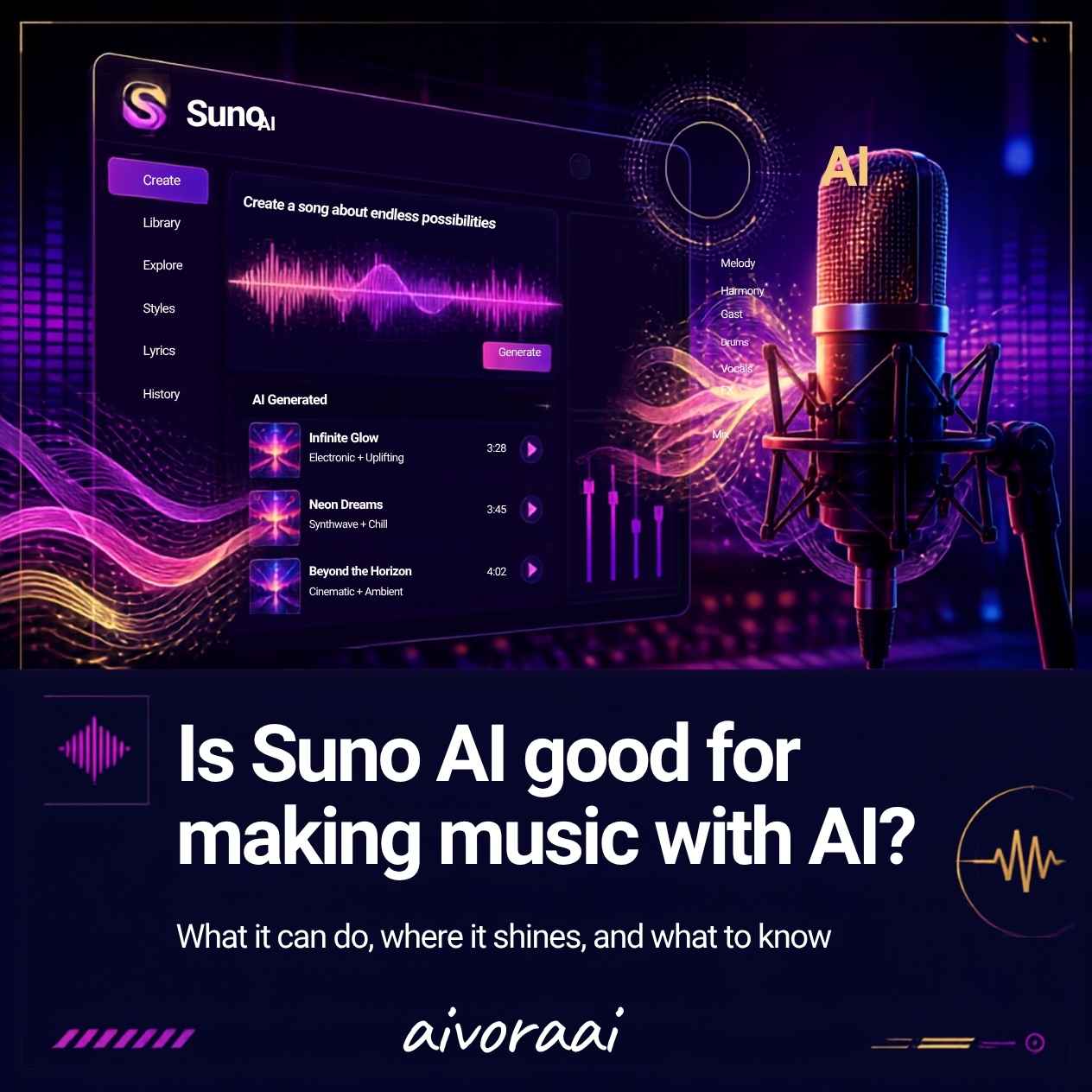
Yes, Suno AI is exceptionally good for making music with AI. It is currently one of the most advanced and user-friendly AI music generators available. It excels at generating full, radio-quality songs with realistic vocals, cohesive musical structures, and dynamic arrangements in a matter of seconds. Its "Custom Mode" allows users to write their own lyrics and specify genres, making it highly versatile for content creators, indie developers, and hobbyists.
Let’s be brutally honest: finding the perfect background music for a video, game, or presentation is a massive headache. You either spend hours digging through generic, soulless royalty-free libraries, or you pay hundreds of dollars for custom composition. For decades, creating original music required years of musical training, expensive software, and high-end studio equipment.
Then came Suno AI. In a remarkably short time, Suno has gone from a quirky experimental project to the undisputed heavyweight champion of AI music generation. With its latest models, it can generate full, multi-minute songs with shockingly realistic vocals, cohesive song structures (verses, choruses, bridges), and dynamic instrumental arrangements, all from a simple text prompt.
But with great power comes great confusion. Is it actually good enough for professional use? Can you legally own the music you create? How does it compare to emerging rivals like Udio?
In this comprehensive, deeply researched review, I am going to answer the ultimate question: Is Suno AI good for making music with AI? We will break down its audio quality, its powerful Custom Mode, the legal realities of AI copyright, and provide you with advanced prompt engineering techniques to help you generate hit songs.
What is Suno AI and How Does It Work?
Suno AI is a generative artificial intelligence platform specifically designed to create realistic, high-fidelity audio and music from text prompts. Unlike older MIDI-based AI that just stitched together pre-recorded loops, Suno generates audio waveforms from scratch using advanced diffusion models and transformer architectures.
The Core Technology
While Suno keeps its exact architecture proprietary, it is widely understood to use a combination of:
- Large Language Models (LLMs): To structure the song, write coherent lyrics (if requested), and understand complex genre descriptions.
- Audio Diffusion Models: To generate the actual raw audio waveforms, ensuring high-fidelity sound, realistic instrument timbres, and natural-sounding vocal inflections.
- Temporal Coherence Algorithms: To ensure the song maintains a consistent tempo, key, and structure throughout its duration, preventing the "mushy" or disjointed sound that plagued early AI music tools.
🧠 The "Custom Mode" Advantage
While Suno can generate random songs from a simple prompt like "a sad country song about a truck," its true power lies in "Custom Mode." This allows you to write your own lyrics, specify the exact genre (e.g., "1980s synth-pop, female vocals, upbeat, heavy bassline"), and even dictate song structure using metatags like [Verse], [Chorus], and [Guitar Solo].
Is Suno AI Actually Good? (The Core Review)
To answer if Suno AI is good, we must evaluate it across several critical dimensions that matter to creators and professionals.
1. Audio Quality and Realism
In its latest iterations (v3 and v3.5), Suno's audio quality is nothing short of staggering. The vocals no longer sound like robotic, warbling artifacts. They contain breath sounds, vibrato, and emotional inflections that are incredibly difficult to distinguish from human singers. The instrumental separation is also vastly improved, with distinct basslines, crisp drums, and clear melodic elements.
2. Structural Coherence
Early AI music often sounded like a random collage of sounds. Suno excels at understanding song structure. By using metatags, you can reliably generate songs that follow a traditional Verse-Chorus-Verse-Chorus-Bridge-Chorus structure, complete with instrumental intros and fading outros.
3. Ease of Use
The web interface is incredibly intuitive. You don't need to know anything about music theory, mixing, or mastering. If you can type a sentence describing a vibe, you can generate a song. This democratization of music creation is Suno's greatest strength.
4. Generation Speed
Generating a full two-minute song typically takes less than a minute. This rapid iteration cycle allows creators to experiment with dozens of variations in the time it would take a human composer to write a single melody.
Suno AI vs. The Competition
The AI music space is heating up rapidly. To understand Suno's position, we must compare it to its primary rival, Udio, and traditional AI music tools.
| Feature | Suno AI | Udio | Traditional AI (AIVA, Soundraw) |
|---|---|---|---|
| Vocal Realism | Excellent | Excellent | Poor/Robotic |
| Song Structure Control | High (Metatags) | Moderate | Low |
| Audio Fidelity | Very High | Slightly Higher | Moderate |
| Ease of Use | Very Easy | Moderate | Easy |
| Best For | Full Songs with Vocals | Experimental/Complex Music | Background/Instrumental |
The Verdict on Competition: If your goal is to create structured, radio-ready songs with convincing vocals, Suno AI is currently the most reliable and user-friendly option. Udio is a close second and sometimes edges out Suno in raw audio fidelity and complex musical arrangements, but it can be less predictable and harder to control via prompts.
Who Should Use Suno AI?
Suno AI is not just a toy for hobbyists; it has legitimate, powerful use cases across multiple industries.
1. Content Creators & YouTubers
Instead of paying monthly subscriptions for generic royalty-free music, creators can generate custom, unique intro/outro music or background tracks tailored exactly to the mood of their video. This is a perfect complement to using the best AI tools for automating small business marketing, allowing you to create fully bespoke audio-visual campaigns.
2. Indie Game Developers
Indie developers often lack the budget for a composer. Suno can be used to rapidly prototype game soundtracks, generate ambient background music for different levels, or create unique character themes without hiring a full audio team.
3. Songwriters & Musicians
Professional musicians are using Suno not to replace themselves, but as a "co-writer" or brainstorming tool. They can input a lyrical concept and a genre to instantly hear a melody idea, which they can then take into a real DAW (Digital Audio Workstation) to refine and record with real instruments.
4. Marketers & Ad Agencies
Creating custom jingles or background music for social media ads is now instantaneous. Agencies can generate dozens of variations of a 30-second track to A/B test which audio drives the highest conversion rates.
The Elephant in the Room: Copyright and Legal Reality
This is the most critical section of this review. If you are asking "is Suno AI good for making music," you must also ask "can I legally use and own that music?"
1. Who Owns the Copyright?
According to Suno's Terms of Service, ownership depends entirely on your subscription tier:
- Free Plan: Suno retains ownership of the generated songs. You are granted a license to use them for non-commercial purposes only. You cannot monetize them on Spotify, YouTube, or use them in commercial ads.
- Pro & Premier Plans: Suno grants you full ownership of the songs you generate. You own the copyright and can monetize them on streaming platforms, use them in commercial projects, and sell them.
2. The US Copyright Office Stance
As of 2026, the US Copyright Office maintains that works created entirely by AI without significant human creative input are not eligible for copyright protection. However, if you write the lyrics yourself and use AI only to generate the melody and instrumentation, you may be able to claim copyright over the lyrical composition, though the AI-generated audio itself remains in a legal gray area. Always consult an intellectual property attorney for commercial projects.
3. Platform Policies (Spotify, YouTube)
Spotify and YouTube currently allow AI-generated music, provided you have the legal right to distribute it (i.e., you are on a paid Suno plan). However, platforms are increasingly requiring creators to label content as "AI-generated" during the upload process.
Advanced Prompting: How to Master Suno AI
To get the most out of Suno AI, you need to move beyond simple prompts like "a happy pop song." You need to use advanced prompt engineering techniques.
Step 1: Master the "Style of Music" Field
Be hyper-specific. Instead of "rock," use "1990s grunge rock, distorted electric guitar, heavy bass, aggressive male vocals, slow tempo, melancholic." The more descriptive adjectives you use, the better the AI can match the vibe.
Step 2: Utilize Structural Metatags
In Custom Mode, you can control the song's architecture using brackets. This is the secret to professional-sounding results.
[Intro]
[Verse 1]
[Chorus]
[Verse 2]
[Chorus]
[Bridge]
[Guitar Solo]
[Chorus]
[Outro]
[Fade Out]
Step 3: Use Vocal Direction Tags
You can guide the vocal performance by adding tags in brackets before a lyric line.
[Whispering]
Can you hear the silence?
[Powerful Belting]
Breaking through the noise!
Step 4: The "Extend" Feature is Your Best Friend
Suno generates songs in chunks (usually 1-2 minutes). If you like a clip, do not just generate a new one. Use the "Extend" feature to continue the song from that exact timestamp. This allows you to build a cohesive 3-4 minute track piece by piece, ensuring the best parts are kept.
Integrating AI Music into Your Broader Workflow
AI music generation doesn't exist in a vacuum. To truly leverage it, you should integrate it into your broader digital strategy.
For example, if you are a developer building a music portfolio or a streaming app, you might need to add an AI chatbot to a static HTML website to help users discover and interact with your AI-generated tracks, creating a dynamic, engaging user experience.
Furthermore, as AI automates more creative tasks, professionals must adapt. Understanding which professional skills are safest from AI automation will help musicians and creators pivot their careers to focus on curation, direction, and human-centric storytelling, using tools like Suno as an amplifier rather than a replacement.
Suno AI Pricing Breakdown
Is Suno AI good value for money? Let's look at the tiers (subject to change, always verify on Suno's official website).
1. Basic (Free)
- 50 credits per day (approx. 10 songs).
- Non-commercial use only.
- Great for testing and hobbyists.
2. Pro ($10/month)
- 2,500 credits per month (approx. 500 songs).
- Full commercial ownership of generated songs.
- Priority generation queue.
- Best for indie creators and small businesses.
3. Premier ($30/month)
- 10,000 credits per month (approx. 2,000 songs).
- Full commercial ownership.
- Top priority generation queue.
- Best for high-volume content creators and agencies.
Common Mistakes to Avoid with Suno AI
⚠️ Mistake #1: Ignoring the Lyrics Copyright
- Using copyrighted lyrics (e.g., Taylor Swift lyrics) in Custom Mode.
- Result: Suno may block the generation, and you cannot legally claim ownership of the output.
- Fix: Always write your own original lyrics or use public domain text.
⚠️ Mistake #2: Relying on a Single Generation
- Generating one song and accepting it, even if the vocals are slightly warped.
- Result: Subpar audio quality.
- Fix: Generate 4-5 variations of the same prompt and choose the best one, or use the "Extend" feature to fix a bad section.
⚠️ Mistake #3: Assuming "Commercial Use" Means No Rules
- Assuming a Pro subscription means you can do absolutely anything with the music.
- Result: Potential legal issues if the AI inadvertently mimics a famous artist's voice too closely.
- Fix: Read the Terms of Service carefully and avoid prompting for specific, copyrighted artist names.
The Suno AI Community
One of Suno's greatest assets is its incredibly active user community. The best place to learn advanced techniques, share prompts, and get inspired is the official Suno AI subreddit. Users frequently post "prompt recipes" that reveal the exact combination of genre tags and metatags needed to achieve specific sounds, from "1980s Japanese City Pop" to "Epic Orchestral Cyberpunk."
Final Verdict: Is Suno AI Good for Making Music with AI?
After extensive testing, analysis, and community research, the answer is a resounding yes. Suno AI is not just "good" for making music with AI; it is currently the industry benchmark for accessible, high-quality, generative music.
Its ability to transform a simple text description into a cohesive, radio-ready song with realistic vocals in under a minute is nothing short of magical. While the legal landscape of AI copyright is still evolving, the Pro and Premier tiers offer a clear, legitimate pathway for creators to own and monetize their AI-generated music.
Whether you are a YouTuber looking for unique background music, an indie game developer needing a soundtrack, or a songwriter seeking a new brainstorming partner, Suno AI is an indispensable tool. It doesn't replace human creativity; it democratizes it, allowing anyone with an idea to hear it brought to life.
🚀 Ready to Create Your First Hit Song?
Stop searching for generic royalty-free tracks. Start generating custom, unique music tailored to your exact vision in seconds.
Explore AI Music Tools →✓ Custom Lyrics · ✓ Studio Quality · ✓ Commercial Rights
Frequently Asked Questions (AEO)
Yes, Suno AI is currently one of the best AI music generators available. It excels at generating full, radio-quality songs with realistic vocals and cohesive musical structures in seconds. Its 'Custom Mode' allows users to write their own lyrics and specify genres, making it highly versatile.
Yes, but it depends on your subscription. If you are on a free plan, Suno AI retains ownership, and you can only use it for non-commercial purposes. If you upgrade to a Pro or Premier paid plan, Suno grants you full ownership and commercial rights to the songs you generate.
Suno AI is generally praised for its ease of use, cohesive song structures, and realistic vocal generation. Udio, its main competitor, is often noted for higher audio fidelity and more complex musical arrangements, but it can be less predictable and harder to control than Suno's straightforward Custom Mode.
Yes, but you must be on a paid Pro or Premier plan to have the commercial rights to use the music in monetized YouTube videos. If you use the free plan, the music is strictly for non-commercial, personal use only.
Suno typically generates audio in chunks of up to 2 minutes. However, you can use the "Extend" feature to continue the song from the end of the previous clip, allowing you to build cohesive tracks that are 3, 4, or even 5 minutes long.
Related Guides
Need Help with AI Music Generation?
Struggling to get the perfect sound from Suno AI? Message us—we'll help you master prompt engineering and navigate AI music copyright.
Written by Varun Lalwani
Varun is the founder of Aivora AI and a music tech enthusiast who has explored the boundaries of AI music generation. Follow him on TikTok @varunaivoraai for daily AI music tips and tool reviews.