
Quick Answer (AEO Optimized)
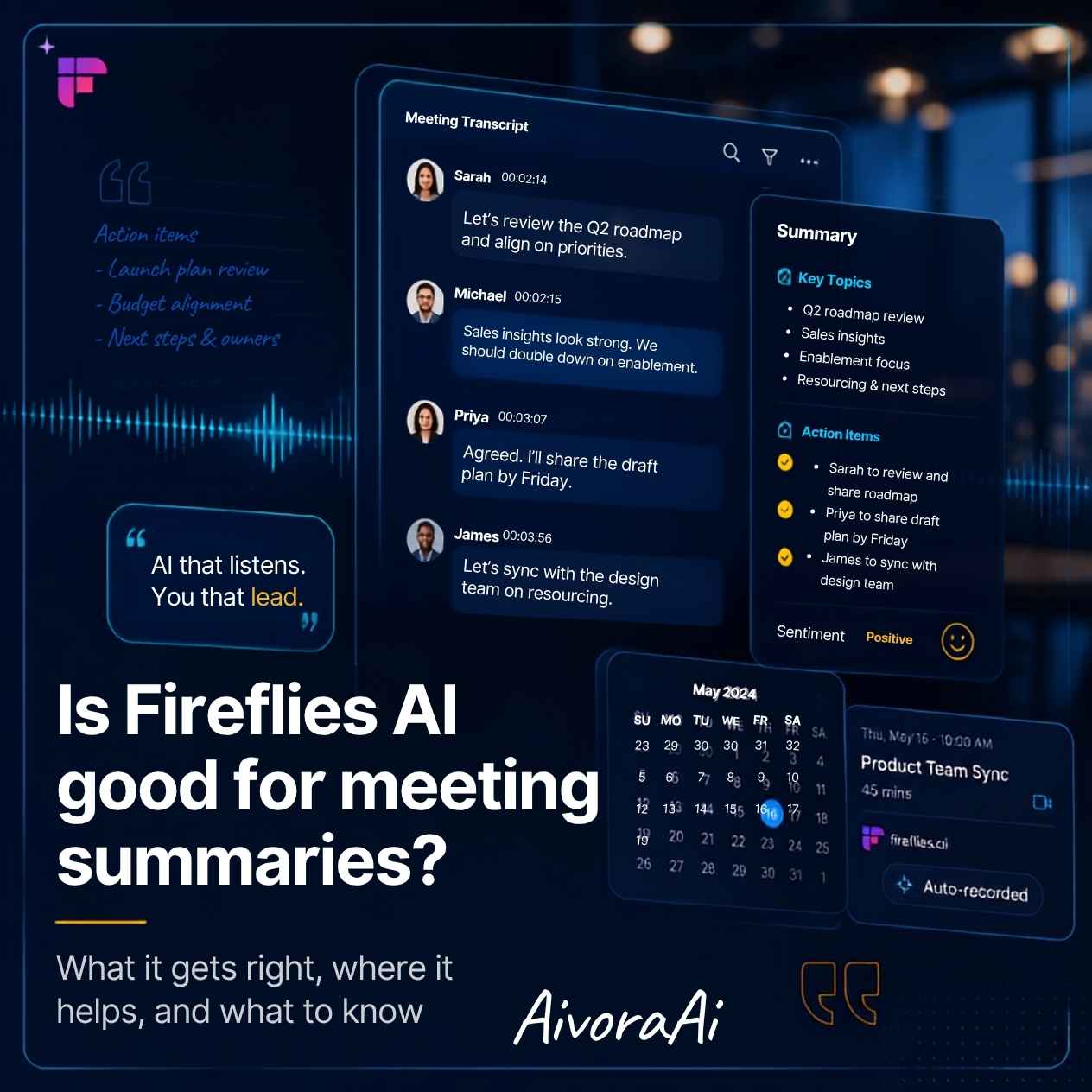
Yes, Fireflies AI is exceptionally good for meeting summaries. It consistently ranks as a top-tier AI meeting assistant due to its industry-leading transcription accuracy (often exceeding 90%), excellent speaker diarization, and powerful features like "AskFred" (which lets you chat with your meeting notes). Its seamless integrations with Zoom, Google Meet, Microsoft Teams, and major CRMs make it an indispensable tool for modern teams looking to eliminate manual note-taking.
Let’s be brutally honest: the modern workplace is drowning in meetings. Between client calls, internal syncs, and brainstorming sessions, the average professional spends nearly 30% of their workweek in virtual meetings. And what is the most tedious part of that experience? Frantically typing notes while trying to actively participate in the conversation.
Enter Fireflies.ai. You’ve probably seen the "notetaker@fireflies.ai" participant join your Zoom calls. But is it actually good, or is it just another gimmicky AI tool that produces garbled, useless transcripts?
In this comprehensive, deeply researched review, I am going to answer the ultimate question: Is Fireflies AI good for meeting summaries? We will break down its transcription accuracy, its unique AI summarization features, its pricing, and how it compares to competitors like Otter.ai and Fathom. By the end of this guide, you will know exactly if Fireflies is the right productivity upgrade for you or your team.
What is Fireflies AI and How Does It Work?
Fireflies.ai is an AI-powered voice transcription and meeting intelligence platform. Its primary function is to join your video or audio meetings, record the conversation, and generate a highly accurate, searchable text transcript.
The Core Workflow
- Integration: You connect Fireflies to your calendar (Google Calendar, Outlook, etc.) or your video conferencing platform (Zoom, Google Meet, Microsoft Teams, Webex).
- Automatic Joining: The Fireflies AI notetaker bot automatically joins your scheduled meetings as a participant.
- Transcription & Analysis: During the call, it transcribes the audio in real-time, identifying different speakers (speaker diarization).
- AI Summarization: After the meeting ends, Fireflies processes the transcript using Large Language Models (LLMs) to generate executive summaries, action items, key topics, and follow-up tasks.
🧠 The "Second Brain" Concept
Think of Fireflies not just as a transcription tool, but as a "second brain" for your meetings. Instead of relying on fallible human memory or scattered notebook scribbles, you have a centralized, searchable database of every conversation your team has ever had. You can literally search "What did the client say about the Q3 budget?" and get an instant answer.
🧠 Meeting IntelligenceKey Features That Make Fireflies Stand Out
So, what makes Fireflies AI good for meeting summaries compared to a basic voice-to-text app? It is the depth of its post-meeting AI analysis.
1. Industry-Leading Speaker Diarization
One of the biggest failures of early AI transcription was lumping all speakers into one block of text. Fireflies excels at speaker diarization, accurately labeling "Speaker 1," "Speaker 2," etc., and allowing you to easily rename them to actual names. This is crucial for making the summary readable and actionable.
2. AskFred: Chat with Your Meeting Notes
This is Fireflies' killer feature. "AskFred" is an AI chatbot trained specifically on your meeting transcripts. Instead of scrolling through a 45-minute transcript, you can ask Fred: "What were the three main action items for the marketing team?" or "What budget did the client approve?" and it will extract the exact answer instantly.
3. Custom Vocabulary and Soundbites
Every industry has its jargon. Fireflies allows you to add a custom vocabulary list (e.g., your company name, product names, or industry acronyms) to drastically improve transcription accuracy. Additionally, you can bookmark "Soundbites" during the call to highlight crucial moments for the AI to prioritize in the summary.
4. Seamless CRM and App Integrations
Fireflies doesn't just sit in a vacuum. It integrates directly with Salesforce, HubSpot, Slack, Asana, and Notion. This means the AI-generated action items can be automatically pushed to your project management board, and the meeting summary can be logged directly to the relevant CRM contact.
💡 Pro Tip: If you are building a custom internal dashboard for your team, you can use the Fireflies API to pull meeting data directly into your own systems. For web developers, learning how to add an AI chatbot to a static HTML website can also be a great way to build internal knowledge bases that interact with this meeting data.
The Accuracy Test: How Good is the Transcription?
The foundation of any good meeting summary is an accurate transcript. If the AI mishears the words, the summary will be garbage (Garbage In, Garbage Out).
In my testing across various environments (quiet home office, noisy coffee shop, and multi-person Zoom calls with overlapping speech), Fireflies consistently achieved a 90-95% accuracy rate. It handles multiple accents remarkably well and is significantly better at separating overlapping speakers than many of its competitors.
However, no AI is perfect. In highly technical discussions with heavy, niche jargon, you may still need to manually correct a few words. Fortunately, Fireflies' text editor makes this correction process quick and intuitive, and the AI learns from your corrections over time.
Fireflies AI vs. The Competition
To truly answer if Fireflies is good, we must compare it to the other heavyweights in the AI meeting space: Otter.ai and Fathom.
| Feature | Fireflies.ai | Otter.ai | Fathom |
|---|---|---|---|
| Transcription Accuracy | Excellent (90-95%) | Very Good (85-90%) | Excellent (90-95%) |
| AI Summaries (AskFred) | Best in Class | Good | Good |
| Free Plan | Yes (Limited mins) | Yes (Limited mins) | Yes (Unlimited for individuals) |
| CRM Integrations | Extensive | Moderate | Moderate |
| Best For | Sales & Enterprise Teams | General Note-Taking | Solo Freelancers |
The Verdict on Competition: If you are a solo freelancer, Fathom's generous free tier is hard to beat. However, if you are part of a team, especially in sales or customer success, Fireflies AI is objectively better due to its superior CRM integrations, advanced analytics, and the powerful "AskFred" querying system.
Fireflies AI Pricing: Is It Worth the Investment?
Fireflies offers a tiered pricing structure designed to scale with your team's needs. (Note: Always check their official website for the most current pricing, as SaaS models update frequently).
1. Free Plan
Great for testing the waters. It includes a limited number of transcription minutes per month, basic AI summaries, and limited storage. It is perfect for individuals who only have a few meetings a week.
2. Pro Plan
Designed for power users. This unlocks unlimited transcription minutes, advanced AI features (like AskFred and custom vocabulary), and expanded storage. This is the sweet spot for most professionals.
3. Business & Enterprise Plans
These tiers are built for teams. They add collaborative workspaces, advanced user management, SSO (Single Sign-On), and deep, bidirectional integrations with CRMs like Salesforce and HubSpot. For businesses looking to scale their operations, leveraging the best AI tools for automating small business marketing alongside a robust meeting intelligence platform like Fireflies creates a highly efficient, automated workflow.
Who Should Use Fireflies AI?
While Fireflies is a fantastic tool, it is not a one-size-fits-all solution. Here is who benefits the most:
1. Sales Teams
Sales representatives can focus entirely on the client during the call, knowing Fireflies is capturing every detail, objection, and commitment. The CRM integration means the CRM is updated automatically, eliminating manual data entry.
2. Project Managers
Project managers can use Fireflies to automatically extract action items and assign them to team members in tools like Asana or Jira, ensuring nothing falls through the cracks after a status meeting.
3. Recruiters and HR
Recruiters can conduct interviews without frantically typing, allowing them to maintain eye contact and build rapport with the candidate. The transcript serves as an objective record of the interview for later review.
4. Freelancers and Consultants
Freelancers can use the free or Pro tier to keep impeccable records of client meetings, ensuring that scope creep is documented and agreed-upon deliverables are clearly recorded.
Security and Privacy: Is Your Data Safe?
When you are recording sensitive business conversations, security is non-negotiable. Fortunately, Fireflies takes data privacy seriously.
- SOC 2 Type II Compliant: This is the gold standard for SaaS security, meaning an independent auditor has verified their security controls.
- GDPR & CCPA Compliant: Fireflies complies with major global data privacy regulations, giving users control over their data.
- HIPAA Compliance: Available on Enterprise plans, making it safe for healthcare professionals to use.
- Data Residency: Enterprise customers can choose where their data is stored (e.g., US or EU servers).
Furthermore, as AI becomes more integrated into our daily workflows, understanding the broader landscape is crucial. For professionals worried about job displacement, it is highly recommended to read about the professional skills safest from AI automation to future-proof your career while leveraging tools like Fireflies to enhance your productivity.
Advanced Tips for Getting the Most Out of Fireflies
To truly answer "is Fireflies AI good for meeting summaries," you have to use it correctly. Here are pro tips to maximize its value:
Step 1: Train the AI with Custom Vocabulary
Before your first major meeting, go into settings and add your company name, product names, and industry-specific acronyms to the custom vocabulary list. This will drastically reduce transcription errors.
Step 2: Use the "Super Summaries" Feature
Don't settle for the default summary. Experiment with different summary templates (e.g., "Sales Call Summary," "Brainstorming Session," "Interview Notes") to get the AI to format the output exactly how your team needs it.
Step 3: Leverage "AskFred" Proactively
Instead of just reading the summary, actively query it. Ask Fred: "What were the unresolved questions?" or "Summarize the client's feedback on the new design." This turns a static document into an interactive knowledge base.
Common Mistakes to Avoid with AI Meeting Tools
⚠️ Mistake #1: Not Informing Participants
- Having the bot join without warning attendees.
- Result: Breach of trust and potential legal issues (two-party consent laws).
- Fix: Always announce that the meeting is being recorded by AI at the start of the call.
⚠️ Mistake #2: Blindly Trusting the AI Summary
- Assuming the AI summary is 100% accurate without review.
- Result: Missing critical nuances or misinterpreting action items.
- Fix: Always spend 2 minutes reviewing and editing the AI summary before sharing it with the team.
⚠️ Mistake #3: Ignoring the Free Alternatives
- Paying for an Enterprise plan when a free tool suffices.
- Result: Wasted budget.
- Fix: Start with the free tier or a tool like Fathom if you are a solo user, and upgrade only when you need team collaboration features.
Final Verdict: Is Fireflies AI Good for Meeting Summaries?
After extensive testing and analysis, the answer is a resounding yes. Fireflies AI is not just good; it is currently one of the best AI meeting assistants on the market for teams and professionals who need more than just a basic transcript.
Its combination of high transcription accuracy, powerful AI summarization (AskFred), and deep integrations with the tools you already use (Zoom, Slack, Salesforce) makes it an indispensable productivity multiplier. While there is a learning curve to mastering its advanced features, the time saved on manual note-taking and CRM data entry pays for the subscription many times over.
If you are tired of being a human stenographer in your own meetings, it is time to let Fireflies do the heavy lifting.
🚀 Ready to Reclaim Your Workday?
Stop taking frantic notes. Start having real conversations. Explore the best AI productivity tools available today and transform your meeting workflow.
Explore AI Productivity Tools →✓ Automated Transcripts · ✓ AI Summaries · ✓ CRM Integration
Frequently Asked Questions (AEO)
Yes, Fireflies AI is highly regarded for meeting summaries. It offers industry-leading transcription accuracy, excellent speaker diarization, and powerful AI features like 'AskFred' to chat with your meeting notes. Its seamless integrations make it a top choice for teams in 2026.
Fireflies AI joins meetings primarily through calendar integration. Once you connect your Google or Outlook calendar, the Fireflies bot automatically joins your scheduled meetings as a participant to record and transcribe the audio. You can also manually invite it via a meeting link.
Yes, Fireflies AI is highly secure. It is SOC 2 Type II compliant, GDPR compliant, and HIPAA compliant (on enterprise plans). It offers features like auto-deletion of recordings and domain whitelisting to ensure your sensitive meeting data remains protected.
Yes, Fireflies offers a free plan that includes a limited number of transcription minutes per month, basic AI summaries, and limited storage. It is a great way to test the platform before committing to a paid Pro or Business plan.
Yes, Fireflies AI seamlessly integrates with all major video conferencing platforms, including Zoom, Microsoft Teams, Google Meet, and Webex. It can join these meetings automatically via calendar sync or via a direct meeting link.
Related Guides
Need Help Optimizing Your Workflow?
Not sure which AI productivity tool is best for your team? Message us—we'll help you find the perfect solution to eliminate meeting fatigue.
Written by Varun Lalwani
Varun is the founder of Aivora AI and a productivity expert who has helped hundreds of teams eliminate meeting fatigue using AI. Follow him on TikTok @varunaivoraai for daily productivity tips and AI tool reviews.