
Quick Answer
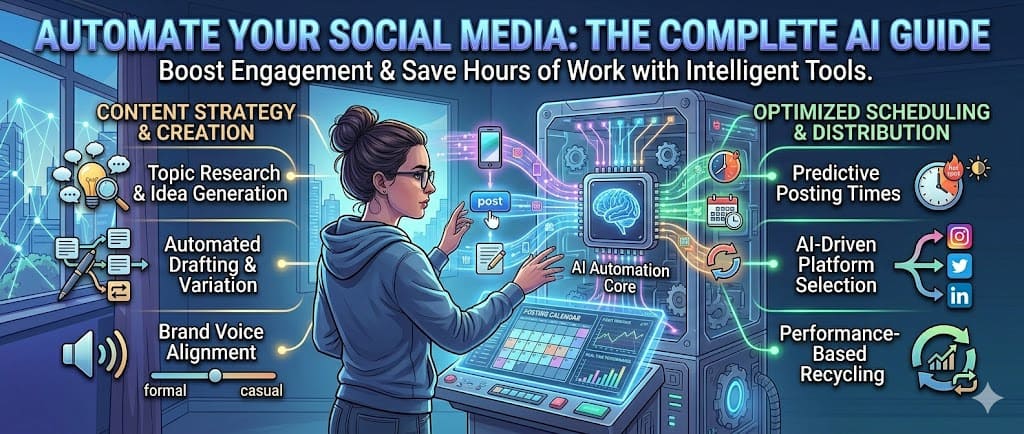
Yes, you can automate social media posts with AI. The workflow: use ChatGPT to generate a content calendar and write captions, use Canva AI to create images, then schedule everything with Buffer or Hootsuite. This eliminates 80% of manual work. You still need to review, edit, and engage manually—AI handles creation and scheduling, not relationships.
I used to spend 15+ hours every week on social media. Writing captions, finding images, resizing for different platforms, remembering to post at the right time. It was exhausting—and honestly, the results weren't that good.
Then I built an AI-powered system that changed everything. Now I spend about 4 hours once a month, and my content runs on autopilot. Better captions. More consistent posting. Higher engagement. Less stress.
This guide shows you exactly how to set up the same AI social media automation system we use at Aivora AI. No fluff. No theory. Just the workflow, the tools, and the prompts.
What Does "AI Social Media Automation" Actually Mean?
Let's be clear about what we're automating—and what we're not.
⚠️ Important: Auto-liking, auto-commenting, and auto-DMing violate Instagram, Twitter, and LinkedIn's terms of service. Your account can get shadowbanned or permanently suspended. The automation we're talking about is content creation and scheduling—not fake engagement.
The 6 Tools You Need
You don't need 20 tools. You need these 6. Most have free tiers that work fine for getting started.
Your primary tool for generating content ideas, writing captions, creating content calendars, and brainstorming campaigns. As we found in our Claude AI vs ChatGPT for writing comparison, ChatGPT is better for structured, formatted content like social media posts. It's the engine that powers everything else.
Canva's Magic Studio generates images, resizes designs for different platforms, removes backgrounds, and creates brand-consistent visuals. It's not as powerful as Midjourney for art, but for social media graphics it's faster and more practical.
Clean, simple scheduling tool that supports Instagram, Facebook, Twitter/X, LinkedIn, Pinterest, and TikTok. The free plan lets you schedule up to 10 posts per platform. Paid plans add analytics and AI assistant features.
More features than Buffer but more complex. Best if you manage multiple brand accounts or work with a team. Its AI-powered OwlyWriter can generate captions and post ideas directly in the scheduler.
Takes a long-form video (YouTube, podcast, webinar) and automatically cuts it into 10-20 short clips optimized for TikTok, Reels, and Shorts. It adds captions, scores each clip for virality potential, and formats for each platform.
Later's visual content calendar lets you see exactly how your feed will look before posting. Great for Instagram-first brands. It also has a "Best Time to Post" feature and link-in-bio tool built in.
Quick Tool Comparison
| Tool | Best For | Free Tier | AI Features |
|---|---|---|---|
| ChatGPT | Writing captions & ideas | ✅ Yes | Content generation |
| Canva AI | Creating visuals | ✅ Yes | Image generation, resize |
| Buffer | Scheduling (solo) | ✅ 10 posts | Basic AI assistant |
| Hootsuite | Teams & multi-brand | ❌ Trial only | OwlyWriter AI |
| Opus Clip | Video to clips | ✅ Limited | Auto-cut & score |
| Later | Visual feed planning | ✅ 5 posts | Best time to post |
The 5-Step AI Automation Workflow
This is the exact process we use. Follow it once, and you'll have a full month of content scheduled in 3-4 hours.
Feed ChatGPT your content pillars, platforms, and posting frequency. Ask it to create a 30-day calendar with specific topics for each day. This takes 10 minutes and gives you a complete roadmap.
Take the calendar and ask ChatGPT to write captions for every post. Specify the platform, tone, length, and hashtag strategy for each. Do this in batches of 5-7 posts to maintain quality. Takes about 60-90 minutes for a full month.
Use Canva AI to generate matching images, or use ChatGPT to write image prompts for Midjourney/DALL-E. Resize each image for its target platform. Canva's bulk resize feature saves hours here.
This is the step you cannot skip. Read every caption. Add your personality. Fix anything that sounds robotic. Adjust timing based on your audience. This takes 30-45 minutes but makes the difference between "obviously AI" and "actually good."
Upload all content to Buffer (or your chosen scheduler). Set posting times for each platform. Hit schedule. Done. Your month of social media is now on autopilot.
Example: 7-Day AI Content Calendar
Here's what a real AI-generated calendar looks like. This was created using Prompt 1 from the next section.
| Day | Platform | Content Type | Topic |
|---|---|---|---|
| Mon | Text post | Industry insight or lesson learned | |
| Tue | Instagram TikTok | Carousel / Video | How-to tutorial (3 tips) |
| Wed | Twitter/X | Thread | Hot take or contrarian opinion |
| Thu | Story series | Behind-the-scenes or poll | |
| Fri | LinkedIn Twitter/X | Curated list | 5 tools/resources roundup |
| Sat | Instagram TikTok | Reel / Short | Entertaining or relatable content |
| Sun | Twitter/X | Quote + reflection | Weekly recap or motivational thought |
💡 Pro tip: Repeat this weekly pattern for 4 weeks, varying the specific topics each week. A repeating structure with fresh content is the secret to consistency without burnout.
15 AI Prompts for Social Media Content
These are the exact prompts we use. Customize the bracketed parts for your brand.
📋 Calendar & Planning Prompts
✍️ Caption Writing Prompts
🏷️ Hashtag & Engagement Prompts
🔄 Repurposing Prompts
📊 Analysis & Optimization Prompts
🎨 Visual Content Prompts
Best Posting Times by Platform (2026 Data)
| Platform | Best Days | Best Times (IST) | Worst Times |
|---|---|---|---|
| Tue, Wed, Thu | 11 AM - 1 PM, 7 - 9 PM | Sunday nights | |
| Twitter/X | Mon-Fri | 9 - 11 AM, 12 - 1 PM | Weekends (lower engagement) |
| Tue, Wed, Thu | 8 - 10 AM, 12 - 1 PM | Weekends, evenings | |
| TikTok | Tue-Thu, Sat | 7 - 9 AM, 7 - 11 PM | Mon mornings, Sun evenings |
| Wed-Fri | 1 - 4 PM | Late nights, weekends |
💡 Better approach: Don't just follow generic "best times." Use your scheduler's analytics to find when your specific audience is most active. Buffer and Later both have "Best Time to Post" features that analyze your account's data. Generic times are a starting point, not the final answer.
Benefits of AI Social Media Automation
Mistakes That Kill AI Social Media Strategy
1. Posting Raw AI Output Without Editing
This is the #1 mistake. AI captions have a recognizable "voice"—generic, slightly formal, overuses certain words. Your audience can tell. Always spend 2-3 minutes personalizing each caption. Add your opinion, a personal anecdote, or a specific detail only you would know.
2. Ignoring Platform Differences
LinkedIn is not Twitter. Instagram is not TikTok. If you're using ChatGPT to generate one caption and posting it everywhere, you're doing it wrong. Each platform needs different length, tone, formatting, and visual style. Always specify the platform in your prompts.
3. Scheduling and Forgetting
Automation handles creation and scheduling. It does not handle engagement. If you schedule a month of posts and then disappear, your growth will stall. You still need to reply to comments, engage with other accounts, and participate in conversations daily.
4. Not Tracking Results
Scheduling posts without checking analytics is like driving with your eyes closed. Use your scheduler's analytics or a tool like machine learning ad optimization tools to understand what's actually working. Adjust your AI prompts based on real data, not assumptions.
5. Over-Automating
More automation isn't always better. If every post feels the same—same structure, same tone, same type of content—your audience will tune out. Mix in spontaneous posts, real-time reactions to news, and genuine behind-the-scenes content alongside your scheduled posts.
Best Practices for AI Social Media in 2026
Write down your brand's tone, vocabulary, do's and don'ts. Include this in every ChatGPT prompt. Example: "Our tone is friendly but professional. We use short sentences. We never use corporate jargon. We occasionally use humor." This makes AI output 10x more on-brand.
Don't generate one caption at a time. Generate a week's worth in one session. Batch creation is faster, produces more consistent content, and lets you see the full picture of your week.
When you see a post that performs exceptionally well (yours or someone else's), save it. Include it in your AI prompts: "Write a caption in the style of this post: [paste]." This trains the AI on what actually works for your audience.
Let AI handle the heavy lifting—ideas, first drafts, formatting, scheduling. You handle the final 20% that makes it human: personal stories, opinions, real examples, and that thing only you can add—authenticity.
Every Sunday, spend 15 minutes checking what worked and what didn't. Feed this data back into your AI prompts for the next week. This creates a continuous improvement loop that gets better over time—something we talk about in our guide on AI tools for small business growth.
Frequently Asked Questions
Use AI to generate content ideas, write captions, create images, and then feed everything into a scheduling tool like Buffer, Hootsuite, or Later. The workflow is: (1) AI generates a content calendar, (2) AI writes captions for each post, (3) AI creates or suggests images, (4) You review and edit, (5) Schedule using your tool. This can automate 80% of the work.
ChatGPT is the best for writing captions. Canva AI is best for creating images. Opus Clip is best for turning videos into short clips. For a complete workflow, combine ChatGPT + Canva + Buffer. No single tool does everything perfectly—the combination is what makes it powerful.
AI generates the content, but you need a scheduling tool to actually publish it. Buffer, Hootsuite, Later, and Sprout Social handle the scheduling. Some tools like Publer and Ocoya combine AI content generation with scheduling in one platform, but they're less flexible than using best-in-class tools separately.
Automating creation and scheduling is smart. Automating engagement is bad. Scheduling posts with AI is perfectly fine—every major brand does it. What violates platform rules is auto-liking, auto-commenting, and auto-DMing. Schedule your posts, but engage with your audience like a human.
It depends on the platform and your capacity. Instagram: 4-5 feed posts + daily Stories. Twitter/X: 3-7 tweets per day. LinkedIn: 3-5 posts per week. TikTok: 3-5 videos per week. Quality beats quantity—posting 3 great posts is better than 7 mediocre ones. Start with less and increase as you find what works.
Yes, if you prompt it well. Generic prompts like "write a caption about marketing" produce generic captions. Good prompts include your brand voice, audience, platform, and specific formatting rules. Always edit AI captions—add your personality, a real example, or a personal take. Raw AI captions get less engagement than personalized ones.
Buffer's free plan is the best starting point. It lets you schedule up to 10 posts per platform with basic analytics. For AI content generation, ChatGPT's free tier works well. Combine free ChatGPT + free Canva + free Buffer and you have a complete zero-cost AI social media system. Upgrade when you outgrow the limits.
Ask ChatGPT to generate a 30-day calendar. Specify: your platforms, posting frequency, content pillars, and target audience. Then ask it to write captions for each day. Export to a spreadsheet, create visuals in Canva, and import everything into your scheduler. Prompt 1 in this guide does exactly this—copy and customize it.
🚀 Automate Your Content Today
Stop spending hours on social media. Let AI handle the heavy lifting while you focus on growing your business.
Explore AI Marketing Tools →✓ Content Generators · ✓ Schedulers · ✓ Analytics Tools
Related Guides
- Discover machine learning ad optimization tools that complement your organic social media strategy →
- Learn SEO content writing with AI to enhance your social media and blog content →
- Explore 7 AI side hustles to earn 80% commission while automating your social media →
- Get Sam Altman startup advice on building AI-powered businesses and automation →
- Read Sam Altman interview highlights on the future of AI and automation →