
Quick Answer
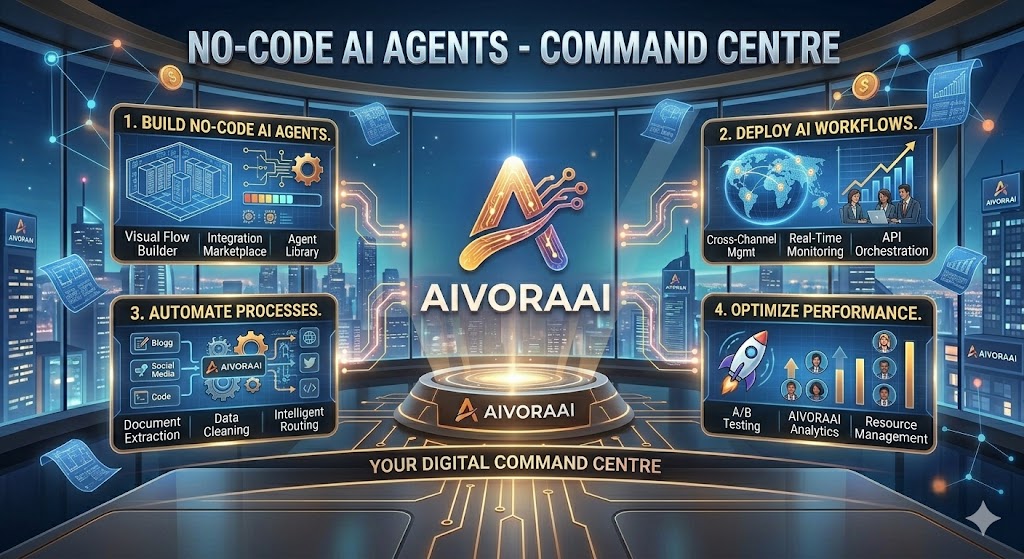
The best no-code AI agents allow you to build intelligent automation systems using visual drag-and-drop interfaces. Top platforms include Zapier, Make, and Bubble.io, enabling you to automate customer service, data analysis, and content creation without any programming knowledge.
The future of automation is here, and you don't need to be a programmer to take advantage of it. No-code AI agents are transforming how businesses operate, allowing anyone to create intelligent automation systems that work 24/7.
Whether you're a small business owner, marketer, entrepreneur, or just someone looking to automate repetitive tasks, no-code AI agents can save you hours every day while improving accuracy and consistency.
In this comprehensive guide, you'll discover the best no-code platforms, practical use cases, and step-by-step instructions to start building your first AI agent today.
What Are No-Code AI Agents?
No-code AI agents are intelligent software systems that can perform tasks, make decisions, and interact with users—all built using visual interfaces instead of traditional programming.
- Visual Builders: Drag-and-drop interfaces for creating workflows.
- Pre-Built Templates: Ready-to-use agent configurations.
- Natural Language: Configure using plain English.
- Integrations: Connect with your existing tools (Slack, email, CRM).
- Autonomous Operation: Work independently once configured.
💡 Pro Tip: Start with a simple trigger-action pair. For example, when a new lead fills out a form (Trigger), have AI summarize their needs and draft a personalized email (Action).
Best No-Code AI Agent Platforms in 2026
1. Zapier Interfaces ⭐⭐⭐⭐⭐
Best For: Workflow automation and integrations.
Price: Free tier, $19.99-149/month.
Key Features: 5,000+ app integrations, AI-powered workflows, visual builder.
2. Make (formerly Integromat) ⭐⭐⭐⭐⭐
Best For: Complex multi-step automations.
Price: Free tier, $9-299/month.
Key Features: Visual scenario builder, advanced data manipulation, error handling.
3. Bubble.io ⭐⭐⭐⭐⭐
Best For: Building complete AI-powered applications.
Price: Free tier, $25-325/month.
Key Features: Full app builder, database, API integrations, AI plugins.
If you are looking to scale this into a larger business, check out our guide for AI business ideas in 2026 using these no-code tools.
4. Voiceflow ⭐⭐⭐⭐
Best For: Conversational AI agents and chatbots.
Price: Free tier, $50-500/month.
Key Features: Visual conversation designer, AI training, multi-channel deployment.
Real-World Use Cases & Applications
📞 Customer Service Automation
- Use Case: AI chatbot handling 80% of customer inquiries.
- Platform: Voiceflow + Zapier.
- Result: Reduced support tickets by 75%, 24/7 availability.
📊 Data Analysis & Reporting
- Use Case: Automated weekly sales reports with insights.
- Platform: Make + Google Sheets + AI analysis.
- Result: Saved 5 hours/week, real-time insights.
📝 Content Creation
- Use Case: AI agent generating blog posts from keywords.
- Platform: Bubble.io + OpenAI API.
- Result: 10x content output, consistent quality.
Struggling with content consistency? Learn how to fix it in our guide on why my AI content is not ranking.
Step-by-Step Guide: Build Your First AI Agent
Follow this simple framework to create your first no-code AI agent:
Step 1: Define Your Goal (30 mins)
- Identify the repetitive task you want to automate.
- Define success metrics (time saved, accuracy, etc.).
- Map out the current workflow.
Step 2: Choose Your Platform (1 hour)
- Match platform to your use case.
- Check integration requirements.
- Start with free tier to test.
Step 3: Design the Workflow (2-4 hours)
- Use visual builder to map the process.
- Add decision points and conditions.
- Configure AI prompts and responses.
- Set up integrations with your tools.
Step 4: Test Thoroughly (1-2 hours)
- Test with sample data.
- Check all possible scenarios.
- Fix errors and edge cases.
- Get feedback from team members.
Step 5: Deploy & Monitor (Ongoing)
- Launch to production.
- Monitor performance metrics.
- Gather user feedback.
- Iterate and improve.
For a deeper dive into content automation, see our AI blogging workflow guide.
Cost Analysis & ROI
Typical Costs:
- Platform Subscription: $0-300/month.
- AI API Costs: $10-200/month (depending on usage).
- Integration Tools: $0-100/month.
- Your Time: 10-40 hours to build.
ROI Calculation Example:
| Scenario | Monthly Cost | Time Saved | ROI |
|---|---|---|---|
| Customer Support Bot | $50/month | 40 hours/month | 800%+ |
| Data Entry Automation | $30/month | 20 hours/month | 600%+ |
Advanced Strategies for Scaling
1. Chain Multiple Agents
Connect specialized agents to handle complex workflows. For example: Lead capture agent → Qualification agent → Scheduling agent → Follow-up agent.
2. Implement Human-in-the-Loop
Set up escalation paths where the AI agent hands off complex cases to humans, ensuring quality while maintaining efficiency.
3. Continuous Learning
Use feedback loops to improve your agents over time. Track what works, what doesn't, and refine accordingly.
Looking for passive income ideas? Check out how to build a passive income AI website using these agents.
Common Mistakes to Avoid
- Over-automating: Not everything needs an AI agent.
- Ignoring testing: Always test thoroughly before deployment.
- No fallback: Always have a human backup option.
- Poor prompts: Vague instructions = poor results.
- Set and forget: Agents need monitoring and updates.
⭐ Pro Tip: Start small. Build a basic version first, then add complexity as you gain confidence. Most successful agents start small and evolve over time.
Frequently Asked Questions
No. Modern no-code platforms like Zapier, Make, and Bubble allow you to build complex AI agents using visual drag-and-drop interfaces and natural language prompts.
Zapier Interfaces is excellent for beginners due to its ease of use and massive library of integrations. For more complex apps, Bubble.io is a great choice.
You can start for free with most platforms. Paid plans typically range from $20–$100/month depending on usage and complexity.
Ready to Build Your First Agent?
Don't let repetitive tasks steal your time. Explore our top-rated AI tools and start building your automated empire today.
🚀 View Top AI ToolsWritten by Varun Lalwani
Varun is the founder of Aivora AI and helps businesses leverage technology for growth. Read more about Varun