
Quick Answer
Generative AI for 3D modeling uses deep learning to create three-dimensional digital objects from simple inputs like text descriptions or 2D images. It automates the complex processes of mesh generation, UV mapping, and texturing, allowing creators to produce assets for games, VR, and ecommerce up to 10x faster than traditional methods.
For decades, 3D modeling has been a bottleneck. Creating a single high-quality character or prop could take days of meticulous work—vertex by vertex. For indie game developers, architects, and ecommerce brands, this cost and time barrier was often insurmountable.
In 2026, generative AI for 3D modeling has shattered that barrier. You can now type "a vintage leather armchair with brass studs" and get a fully textured, rigged, and ready-to-use 3D model in under a minute. This isn't just a novelty; it's a fundamental shift in how digital worlds are built.
This guide explores the best AI 3D tools, how they work, and how you can integrate them into your workflow to scale your production without scaling your headcount. We’ll also look at how these assets integrate with broader strategies like AI ecommerce visualization.
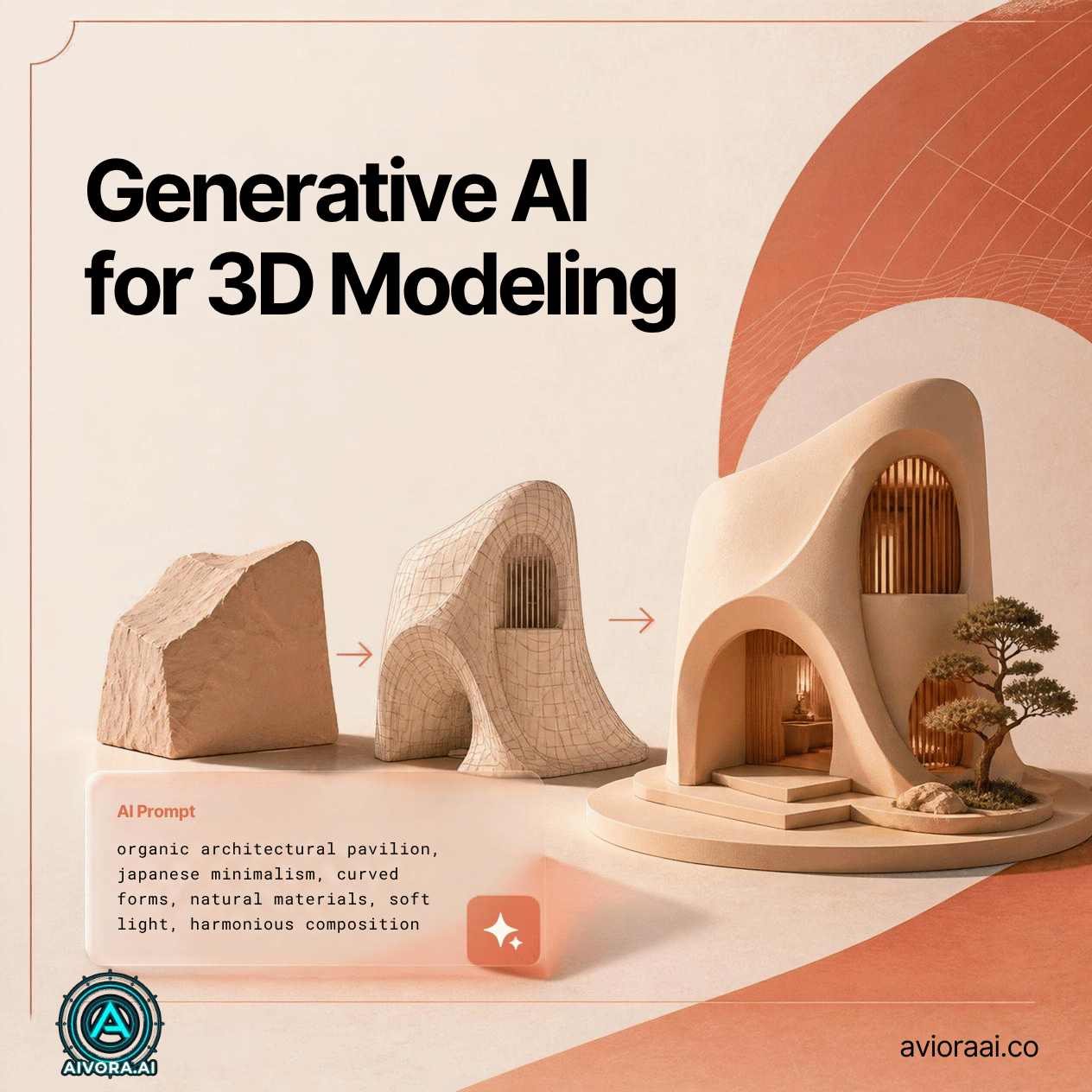
How Generative AI 3D Modeling Works
Unlike traditional CAD software where you manually extrude shapes, generative AI uses "Neural Radiance Fields" (NeRFs) and diffusion models to understand 3D space.
Here’s the typical process:
- Input: You provide a text prompt, a single image, or a short video clip.
- Point Cloud Generation: The AI predicts the 3D shape by generating millions of data points in space.
- Meshing: It connects these points to form a solid surface (mesh).
- Texturing: The AI projects colors and materials onto the mesh, ensuring lighting consistency.
- Optimization: The final model is retopologized to ensure it’s lightweight enough for real-time use in games or web browsers.
1. Input
Text, Image, or Video
2. AI Prediction
Shape & Depth Estimation
3. Meshing
Surface Generation
4. Export
GLB, OBJ, or FBX
The generative 3D modeling pipeline
Why Use Generative AI for 3D?
The benefits are transformative for any industry relying on digital assets:
10x Faster Production
What used to take days now takes minutes. This allows for rapid prototyping and iteration, essential for agile development.
Lower Barrier to Entry
You no longer need a team of expensive 3D artists to create basic assets. Small teams can now build worlds that rival AAA studios.
Endless Variations
Need 100 different styles of trees for a forest? AI can generate unique variations instantly, avoiding the "copy-paste" look.
No Coding Required
With natural language prompts, anyone can describe what they want and get a 3D result, democratizing 3D creation.
Top Generative AI 3D Tools in 2026
We’ve tested the leading platforms. Here are the ones delivering the best quality:
| Tool | Best For | Key Feature |
|---|---|---|
| Luma AI | Real-world scanning | High-fidelity NeRF capture |
| Kaedo | Game assets | Image-to-3D with rigging |
| Spline AI | Web 3D design | Text-to-scene generation |
| Masterpiece Studio | VR/AR creation | Voice-controlled modeling |
Integrating AI 3D into Your Workflow
AI doesn't have to replace your entire pipeline; it can supercharge specific parts of it.
1. Rapid Prototyping
Use AI to generate base meshes for characters or props. Then, bring them into Blender or Maya for final polishing. This saves hours of boring blocking-out time.
2. Ecommerce Product Visualization
If you sell physical products, you can use AI to turn simple photos into 3D models. These models can then be placed in virtual rooms for customers to view. This is a powerful complement to AI ecommerce translation, as visual language is universal.
3. Game Development
Generate background assets like rocks, trees, and buildings automatically. This allows your level designers to focus on gameplay mechanics rather than filling empty space. For more on creating content for your game's website, check out our guide on writing long-form AI blog posts.
⭐ Pro Tip: Always check the topology of AI-generated models. While they look good visually, the underlying wireframe might be messy. Use automated retopology tools to clean them up before using them in animation.
Challenges and Limitations
While impressive, the technology isn't perfect yet:
- Consistency: Getting AI to generate the same character in different poses can be difficult.
- Complex Geometry: AI struggles with highly intricate mechanical parts or internal structures.
- Copyright: Be aware of the training data used by these models. Ensure you have commercial rights to the assets you generate.
The Future: Real-Time World Generation
We’re moving toward a future where virtual worlds are generated in real-time as you walk through them. Imagine a VR game where every building, NPC, and item is created on the fly by AI, ensuring no two players ever have the same experience.
By mastering generative AI for 3D modeling now, you’re positioning yourself at the forefront of this spatial revolution.
🚀 Ready to Build in 3D?
Don’t let technical skills hold you back. Explore our curated list of AI tools that can help you create stunning 3D assets instantly.
🔍 Explore 3D AI Tools →✓ Easy to Use · ✓ High Quality · ✓ Commercial License
Frequently Asked Questions
Generative AI for 3D modeling uses machine learning algorithms to create three-dimensional digital assets from text prompts, 2D images, or simple sketches. It automates the complex process of mesh generation, texturing, and rigging.
AI is not replacing 3D artists but empowering them. It handles repetitive tasks like base mesh creation and UV unwrapping, allowing artists to focus on creative direction, storytelling, and high-level design.
Related Guides
Need Help With 3D AI?
If you’re unsure which 3D generation tool fits your project, ask us. We test them all so you don’t have to.
Written by Varun Lalwani
Varun is the founder of Aivora AI and an AI tools reviewer with 6+ years of experience. He tracks new AI tool launches and tests them against real workflows before recommending them. Read more about Varun