
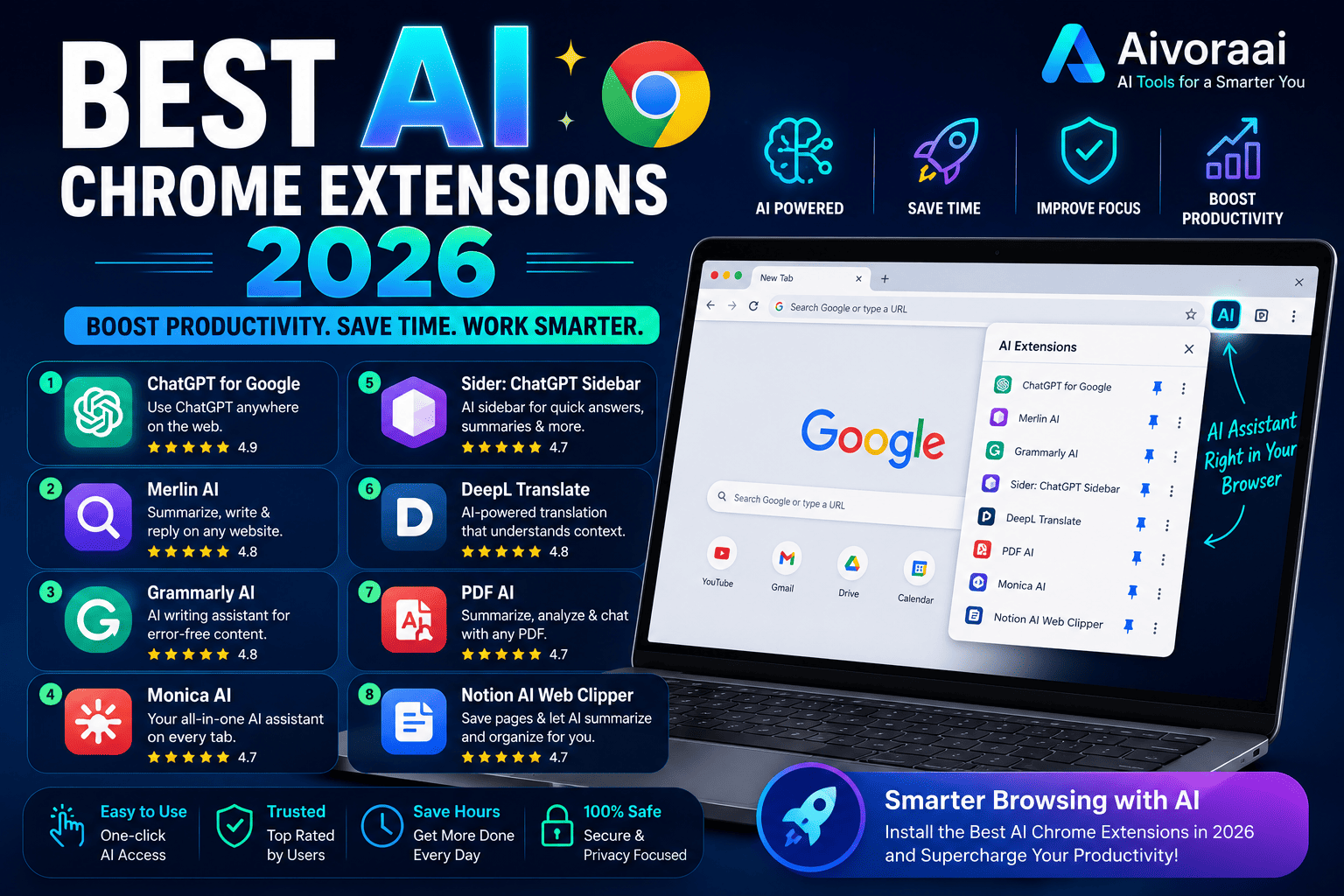
💡 Quick Summary: AI Chrome extensions have evolved from simple tools to powerful productivity assistants. In 2026, these browser extensions can write emails, summarize content, automate workflows, and even code — all without leaving your browser. We've tested 50+ extensions to bring you the top 15.
Your browser is where you spend most of your workday — reading emails, writing documents, researching, and collaborating. What if you could supercharge all of these tasks with AI?
AI Chrome extensions have revolutionized how we work online. These lightweight tools integrate directly into your browser, providing AI-powered assistance exactly when and where you need it — no switching between apps, no complex setups.
Whether you're a writer, developer, marketer, student, or business professional, there's an AI extension that can save you hours every week.
In this comprehensive guide, we'll cover:
- 🔧 The 15 best AI Chrome extensions for 2026
- 📊 Detailed features, pricing, and use cases
- 🎯 Which extensions are best for your workflow
- ⚡ How to install and maximize each tool
- 💡 Pro tips for combining multiple extensions
Let's transform your browser into an AI-powered productivity machine!
Why use AI Chrome extensions?
AI Chrome extensions offer unique advantages over standalone AI tools:
Key Benefits:
- Seamless Integration: Work directly in your browser without switching apps
- Context-Aware: AI understands the content you're viewing and can act accordingly
- Time-Saving: Automate repetitive tasks and get instant assistance
- Cost-Effective: Many are free or affordable compared to desktop software
- Always Updated: Automatic updates ensure you always have the latest features
- Privacy-Focused: Most process data locally or with clear privacy policies
✅ Productivity Impact
Users report saving 5-10 hours per week by using AI Chrome extensions for writing, research, and automation tasks. That's 260-520 hours saved annually!
🎯 Average time saved: 5-10 hours/weekBest AI Chrome extensions 2026
After testing 50+ AI Chrome extensions, here are the top 15 that actually deliver value:
1. Grammarly ⭐⭐⭐⭐⭐
Best For: Writing assistance and grammar checking
Price: Free basic, $12/month premium
Key Features: Real-time grammar checking, tone detection, plagiarism detection, AI writing suggestions
Best For: Writers, students, professionals
2. ChatGPT for Chrome ⭐⭐⭐⭐⭐
Best For: General AI assistance
Price: Free (with ChatGPT account)
Key Features: Quick access to ChatGPT, sidebar integration, custom prompts, conversation history
Best For: Everyone
3. Jasper AI ⭐⭐⭐⭐⭐
Best For: Marketing and content creation
Price: $49/month
Key Features: Brand voice, content templates, SEO optimization, multi-language support
Best For: Marketers, content creators
4. Notion AI ⭐⭐⭐⭐⭐
Best For: Note-taking and organization
Price: $10/month (add-on)
Key Features: AI writing assistant, summarization, translation, action item extraction
Best For: Students, professionals, teams
5. Copy.ai ⭐⭐⭐⭐
Best For: Marketing copy and social media
Price: Free basic, $49/month pro
Key Features: 90+ copywriting templates, brand voice, workflow automation
Best For: Marketers, social media managers
6. Wordtune ⭐⭐⭐⭐
Best For: Rewriting and paraphrasing
Price: Free basic, $9.99/month premium
Key Features: Rewrite suggestions, tone adjustment, summarization, expansion
Best For: Writers, students
7. Otter.ai ⭐⭐⭐⭐
Best For: Meeting transcription
Price: Free basic, $8.33/month pro
Key Features: Real-time transcription, speaker identification, keyword extraction
Best For: Professionals, students, journalists
8. Loom AI ⭐⭐⭐⭐
Best For: Video messaging
Price: Free basic, $12.50/month business
Key Features: AI titles, summaries, chapters, automatic transcription
Best For: Remote teams, educators
9. Merlin ⭐⭐⭐⭐
Best For: Multi-model AI access
Price: Free basic, $19/month pro
Key Features: Access to GPT-4, Claude, Gemini, custom prompts
Best For: Power users, developers
10. Compose AI ⭐⭐⭐⭐
Best For: Email and message writing
Price: Free
Key Features: Autocomplete, tone adjustment, template library
Best For: Customer support, sales teams
11. Monica ⭐⭐⭐⭐
Best For: All-in-one AI assistant
Price: Free basic, $9.99/month pro
Key Features: ChatGPT, Claude, Gemini access, summarization, translation
Best For: General productivity
12. WordAI ⭐⭐⭐
Best For: Content spinning and rewriting
Price: $57/month
Key Features: Advanced rewriting, bulk processing, API access
Best For: SEO professionals, content marketers
13. QuillBot ⭐⭐⭐
Best For: Paraphrasing and summarizing
Price: Free basic, $19.95/month premium
Key Features: Paraphrasing modes, summarizer, grammar checker, citation generator
Best For: Students, researchers
14. Hypotenuse AI ⭐⭐⭐
Best For: E-commerce product descriptions
Price: $29/month
Key Features: Product description generator, bulk creation, brand voice
Best For: E-commerce sellers, Amazon FBA
15. Writesonic ⭐⭐⭐
Best For: SEO content creation
Price: Free basic, $19/month
Key Features: Article writer, landing page generator, AI chat
Best For: Bloggers, SEO professionals
How to choose the right AI extensions
With so many options, here's how to select the best extensions for your needs:
✅ Key Factors to Consider:
- Your Primary Use Case: Writing, research, automation, or general assistance?
- Budget: Free vs. paid features — many free versions are surprisingly powerful
- Privacy: Check data handling policies, especially for sensitive work
- Integration: Does it work with your existing tools (Gmail, Notion, etc.)?
- Speed: Some extensions can slow down your browser — test before committing
- Reviews: Check Chrome Web Store ratings and recent user feedback
⭐ Pro Tip: Start with 2-3 extensions max. Too many AI extensions can slow your browser and create overlap. Master a few before adding more.
How to install AI Chrome extensions
Installing Chrome extensions is simple and takes less than a minute:
Step 1: Open Chrome Web Store
- Go to chrome.google.com/webstore
- Or click the three dots menu → Extensions → Visit Chrome Web Store
Step 2: Search for Extension
- Type the extension name in the search bar
- Verify it's the official extension (check developer name and reviews)
Step 3: Add to Chrome
- Click "Add to Chrome" button
- Review permissions and click "Add extension"
- Wait for installation (usually 5-10 seconds)
Step 4: Configure Settings
- Click the extension icon in your toolbar
- Sign in if required
- Adjust settings to your preferences
✅ Security Tips
Only install extensions from trusted developers. Check permissions carefully — a writing assistant shouldn't need access to all your browsing data. Review extensions quarterly and remove unused ones.
Safety first: Verify before installingMaximizing productivity with AI extensions
Get the most out of your AI Chrome extensions with these strategies:
1. Create Custom Workflows
- Combine Grammarly + ChatGPT for perfect writing
- Use Notion AI + Otter.ai for meeting notes
- Pair Jasper + Copy.ai for marketing content
2. Set Up Keyboard Shortcuts
- Most extensions allow custom shortcuts
- Access AI tools instantly without clicking
- Example: Ctrl+Shift+G for Grammarly, Ctrl+Shift+C for ChatGPT
3. Use Templates and Presets
- Save common prompts as templates
- Create brand voice presets for consistency
- Build workflow automations for repetitive tasks
4. Monitor Performance
- Track time saved using each extension
- Disable extensions you rarely use
- Keep only the extensions that provide real value
💡 Remember: AI extensions are tools to enhance your work, not replace it. Use them to handle routine tasks so you can focus on high-value creative and strategic work.
Final tips for AI extension success
Follow these best practices to get the most from AI Chrome extensions:
- Start Small: Install 1-2 extensions and master them before adding more
- Learn Prompts: Better prompts = better results. Study prompt engineering basics
- Stay Updated: Enable auto-updates to get new features and security patches
- Backup Settings: Export your custom prompts and settings regularly
- Review Privacy: Check what data extensions collect and how it's used
- Combine Wisely: Don't install multiple extensions that do the same thing
⭐ Final Thought: AI Chrome extensions are transforming how we work online. By automating routine tasks and providing instant assistance, they free up your time for what truly matters. Start with one or two extensions that solve your biggest pain points, master them, and gradually build your AI-powered workflow. The future of productivity is here — embrace it!
Internal Resources to Boost Your AI Workflow
Check out these related guides on Aivora AI:
- How to Start an AI Content Writing Business in 2026 →
- AI Tools for Selling Digital Products Online →
- How to Automate Income Using AI Step by Step →
- Best AI Travel Planner Apps 2026 →
🎁 Free Resource: AI Extensions Setup Guide
Download our free PDF with extension comparison chart, installation checklist, prompt templates, and productivity workflows — everything you need to supercharge your browser.
Download Free Guide →✓ Instant download · ✓ No email required · ✓ Updated for 2026