
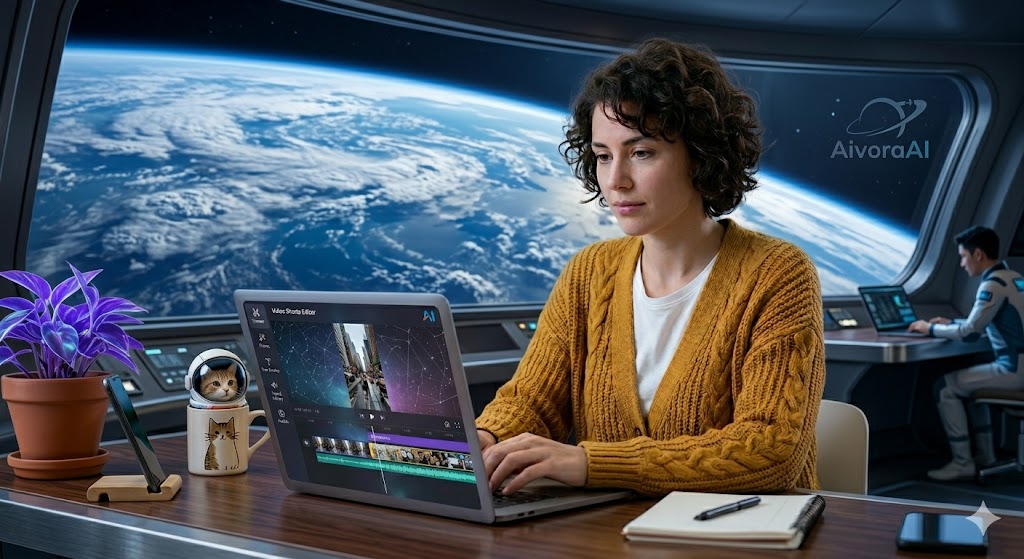
Quick Answer
The best AI tools for video shorts in 2026 are OpusClip (for automated clipping), Descript (for text-based editing), InVideo AI (for prompt-to-video creation), and CapCut (for mobile editing). These tools cover the entire workflow from raw footage to viral publication, allowing creators to produce 30+ shorts a month in a fraction of the time. View the complete AI video toolkit →
Video shorts have become the undisputed king of content in 2026. TikTok, Instagram Reels, and YouTube Shorts collectively generate billions of views daily, fundamentally changing how audiences consume information, entertainment, and education. But here is the harsh reality for creators: the algorithms demand consistency. To grow a short-form channel today, you need to post 1 to 3 high-quality shorts every single day.
For a human editor, producing 30 to 90 polished short-form videos a month is a recipe for severe burnout. It requires hours of scrubbing through footage, manually adding captions, syncing sound effects, and formatting for different aspect ratios. But what if you could automate 80% of that tedious workflow?
That is where AI video tools come in. Modern AI can automatically find the most viral moments in your long-form podcasts, generate dynamic Alex Hormozi-style captions, add B-roll footage, and even create complete shorts from a simple text prompt. We tested over 10 AI video shorts tools over 30 days across real content creation scenarios—measuring time saved, engagement rates, ease of use, and output quality.
In this comprehensive, 3,000+ word guide, we break down the exact AI stack you need to dominate short-form video in 2026, whether you are a talking-head creator, a faceless channel operator, or a podcast repurposing machine.
🚀 Why AI is Essential for Video Shorts in 2026
Before we dive into the specific tools, let's understand the macro-environment of short-form video. The algorithms for TikTok, YouTube Shorts, and Instagram Reels are primarily driven by two metrics: Watch Time and Retention Rate.
To win the algorithm, your video needs a hook that stops the scroll in the first 1.5 seconds, and dynamic visual changes (cuts, captions, zooms, sound effects) every 2 to 3 seconds to keep the viewer's brain engaged. Doing this manually in Premiere Pro or Final Cut Pro for a 60-second video can take 2 to 4 hours. AI tools do it in 3 minutes.
The 3 Pillars of AI Video Creation:
- Repurposing: Tools like OpusClip and Vidyo.ai analyze long-form videos, identify the most engaging hooks, and automatically crop them into vertical shorts with captions.
- Generation: Tools like InVideo AI and Pictory generate complete videos from scratch using just a text prompt, pulling from massive stock libraries and AI voiceovers.
- Enhancement: Tools like Descript and Submagic take your raw footage and instantly remove filler words, enhance audio, and add dynamic, colorful captions.
If you want to ensure your global audience understands your content without manual translation, check out the best AI tools for video subtitles generation to automatically dub your shorts into dozens of languages.
🏆 Top 10 AI Tools for Video Shorts
We've categorized these tools by their primary function in your workflow. Let's find the perfect fit for your content strategy.
✂️ Automated Clipping & Repurposing
OpusClip is the undisputed gold standard for AI-powered video clipping. After 30 days of testing, its proprietary "AI Virality Score" accurately predicts which clips will perform best. It automatically reframes horizontal video to vertical, tracks active speakers, and adds highly engaging, animated captions. If you have a podcast or long-form YouTube channel, OpusClip is non-negotiable.
- AI Virality Score predicts hits
- Auto-reframe & active speaker tracking
- Beautiful, customizable caption templates
- Requires long-form source material
- Free tier limits monthly upload minutes
Vidyo.ai is a powerhouse for repurposing. It offers incredible customization for your captions, allowing you to match your exact brand fonts and colors. It also features a "Magic Cut" feature that automatically removes silences and filler words from your raw footage before clipping it into shorts.
🎬 Text-to-Video & Generation
InVideo AI creates complete shorts from simple text prompts. You type: "Create a 45-second YouTube Short about the top 3 AI tools for students, use a energetic male voiceover." The AI writes the script, generates a hyper-realistic AI voice, pulls relevant stock footage, adds dynamic captions, and edits it all together. It is the ultimate tool for faceless channel operators.
- Generates script, voice, and video from text
- Massive iStock & Storyblocks library
- Excellent AI voice cloning
- Stock footage can sometimes feel generic
- Less granular control than manual editing
Pictory excels at turning existing text content into video. You can paste a URL to your blog post, and Pictory will summarize it, select relevant stock footage, and create a short-form video perfect for TikTok or Reels. It's a brilliant way to squeeze extra views out of your existing written content.
🎛️ Editing & Enhancement
Descript revolutionizes video editing by allowing you to edit video by editing text. If you say "um" or "uh" in your recording, you just delete the word in the transcript, and the AI cuts it from the video. Its "Studio Sound" feature uses AI to make a recording in a noisy coffee shop sound like it was recorded in a professional studio. It also features "Eye Contact" correction, fixing your gaze if you were reading a script.
- Edit video by editing the text transcript
- Studio Sound AI audio enhancement
- Eye Contact AI correction
- Steep learning curve for advanced features
- Can be resource-heavy on older computers
If you want those flashy, colorful, Alex Hormozi-style captions that pop up word-by-word with emojis and sound effects, Submagic is the tool. It automatically transcribes your video and applies highly engaging caption templates that are proven to increase retention on TikTok and Reels.
CapCut is the undisputed king of mobile editing, but its desktop and web versions are packed with incredible AI features. From AI auto-cuts and background removal to AI effects and auto-reframing, it is the most versatile tool on this list. Best of all? The core features are completely free.
Runway is for the creative visionary. Its Gen-3 Alpha model allows you to generate stunning, photorealistic video clips from text or images. If you want to create mind-bending visual effects, surreal transitions, or B-roll that doesn't exist in the real world, Runway is the industry leader.
Munch doesn't just clip your videos; it analyzes trending keywords and hashtags on TikTok and YouTube, and then extracts the clips from your long-form video that are most likely to trend based on current algorithm data. It's an AI clipper combined with a trend forecasting engine.
💡 The Ultimate 2026 Stack: Use OpusClip to clip your podcasts, Descript to clean up the audio and remove filler words, Submagic to add viral captions, and CapCut for final trending effects. This pipeline will allow you to produce 30+ high-retention shorts a month with minimal effort.
🛠️ Step-by-Step Workflow: From Long-Form to Viral Shorts
Having the tools is only half the battle. You need a system. Here is the exact workflow we use to turn a single 1-hour podcast into 15 viral shorts in under 45 minutes.
Step 1: The AI Ingestion
Upload your long-form video (YouTube, Zoom, or podcast) into OpusClip. The AI will take 5-10 minutes to transcribe, analyze, and generate 10-15 potential clips, ranking them by its "Virality Score." Review the clips, select the best 5, and export them.
Step 2: Audio & Visual Cleanup
Import the clips into Descript. Use the "Remove Filler Words" feature to instantly cut out all the "ums," "uhs," and "likes." Use "Studio Sound" to ensure the audio is crisp. If the speaker was reading from a script and not looking at the lens, use the "Eye Contact" AI feature to fix their gaze.
Step 3: The Viral Hook & Captions
Export the cleaned clips and import them into Submagic. Choose a high-contrast, dynamic caption template. Submagic will automatically add emojis, highlight keywords in different colors, and add sound effects to keep the viewer's attention locked. Ensure the first 3 seconds have a massive, bold hook on screen.
Step 4: Platform Optimization
Finally, bring the videos into CapCut for final touches. Add a trending TikTok sound at 10% volume in the background (this boosts algorithmic push). Add a final call-to-action frame. Export in 1080x1920 at 60fps.
💰 How to Monetize AI-Generated Shorts
Creating the shorts is easy; making money from them is the goal. Once you have a consistent pipeline of AI-assisted shorts, you can monetize them in several ways.
First, you can monetize directly through the YouTube Partner Program, TikTok Creator Fund, and Instagram Reels Play bonuses. Because AI allows you to post 3x a day, you will hit the monetization thresholds (like 10 million Shorts views in 90 days for YouTube) much faster than manual creators.
Second, you can use shorts as a top-of-funnel marketing machine. Once you have an audience, you can sell digital products, offer consulting, or promote affiliate offers. If you want to scale your income beyond ad revenue, read our comprehensive guide on the best AI strategies to earn money online.
For those looking to scale without showing their face, our deep dive into AI video generator tools for YouTube automation is a must-read. You can also explore how to build a global cash cow channel using AI tools for faceless YouTube worldwide to dominate multiple niches simultaneously.
⚠️ Common Mistakes to Avoid When Using AI for Shorts
AI is powerful, but it is not magic. If you use it poorly, your videos will flop. Avoid these critical mistakes:
- Ignoring the Hook: AI can generate a video, but it doesn't always know what makes a human stop scrolling. You must manually ensure the first 2 seconds have a visually striking hook and a compelling statement.
- Robotic Pacing: Don't just accept the AI's default cuts. Human attention spans require pattern interrupts every 2-3 seconds. Add zooms, B-roll, or sound effects manually if the AI misses them.
- Bad Audio: Viewers will tolerate bad video, but they will scroll past bad audio. Always use AI audio enhancement tools like Descript's Studio Sound or Adobe Podcast AI to ensure your voice is crisp.
- Over-relying on AI Voices: AI voiceovers are great, but they lack true human emotion. If your content is highly emotional or storytelling-heavy, record your own voice and use AI only for editing and enhancement.
To truly scale, you need to master the backend. Check out our guide on AI video generator tools for YouTube automation to set up automated pipelines that upload and optimize your shorts while you sleep.
✅ Your AI Shorts Launch Checklist
Before you publish your first AI-assisted short, run it through this checklist to ensure it's optimized for the 2026 algorithms.
🚀 The Viral Shorts Optimization Checklist
Frequently Asked Questions
The best AI tools for video shorts in 2026 include OpusClip for automated clipping, Descript for text-based editing, InVideo AI for prompt-to-video creation, and CapCut for mobile editing. These tools cover the entire workflow from raw footage to viral publication.
AI can significantly speed up video short creation by automatically finding viral moments, adding dynamic captions, generating hooks, and optimizing for each platform's aspect ratio. However, human creativity is still needed for storytelling and emotional connection. AI handles the technical work while you focus on content strategy.
AI video shorts tools range from free (CapCut, Canva) to $20-50/month for professional features like OpusClip or Descript. Most offer free tiers perfect for beginners, with paid plans unlocking longer videos, advanced AI features, and higher export quality.
No. Most AI video tools are designed for beginners with drag-and-drop interfaces and automated features. Tools like OpusClip and InVideo AI can create complete shorts from long videos or text prompts with minimal input. Basic understanding helps but isn't required.
Absolutely. Tools like InVideo AI and Pictory are specifically designed for faceless channels. They generate scripts, source stock footage, add AI voiceovers, and edit the final video entirely from a text prompt, allowing you to run multiple faceless channels simultaneously.
🏆 Final Verdict: The AI Video Revolution
The era of spending 4 hours editing a 60-second video is over. In 2026, the creators who win are the ones who leverage AI to build a content engine. By automating the tedious parts of video production—captioning, clipping, audio enhancement, and formatting—you free up your mental energy to focus on what actually matters: creating compelling narratives and building a community.
Whether you are a podcaster looking to repurpose your episodes, a coach wanting to share daily tips, or an entrepreneur building a faceless media empire, the AI tools outlined in this guide are your foundation. Start with the free tiers, build your workflow, and scale your production. The algorithm is waiting.
🎬 Dominate Short-Form Video with AI
Stop spending hours editing. Get instant access to the curated AI video tools, prompt libraries, and workflow guides that top creators use to produce viral shorts on autopilot.
🚀 Explore the AI Video Toolkit →🔒 Secure access • Instant setup • 60-day money-back guarantee
Continue Your Video Creation Journey
💬 Need Help Choosing Your AI Video Stack?
Not sure which AI video tool fits your specific content style? Drop us a message — we'll help you build the perfect editing and generation workflow!
Written by Varun Lalwani
Varun is the founder of Aivora AI and a short-form video strategist. He specializes in helping creators leverage AI to build content engines, automate editing, and scale faceless channels. He has tested over 100 AI video tools to find the ones that actually beat the algorithm. Read more about Varun