
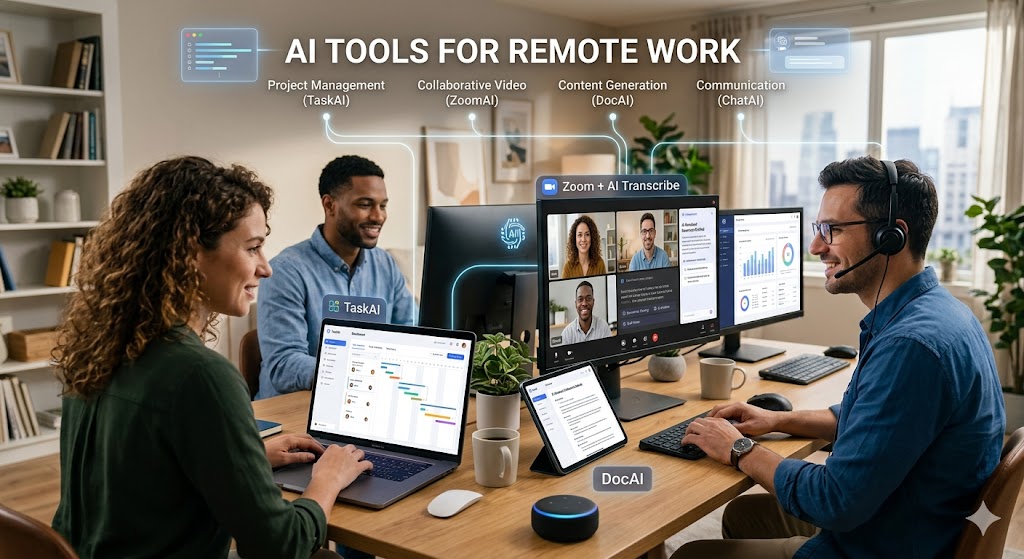
💡 Quick summary: The best AI tools for remote work in 2027 are Otter.ai (meeting notes), Notion AI (documentation), Loom (async video), Clockwise (calendar), and Zoom AI Companion (summaries).
The "new normal" of remote work has brought freedom, but also a new kind of exhaustion: the "meeting marathon." In 2027, successful distributed teams aren't those who meet the most, but those who communicate the most efficiently. This is where AI becomes essential.
We spent 30 days testing AI tools designed specifically for remote challenges: time zone coordination, missing context from asynchronous chats, and information overload. We looked for tools that don't just digitize work, but actually automate it so you can focus on deep work.
Top 6 AI Tools for Remote Work
Otter.ai is the ultimate meeting assistant. It joins your calls, records audio, and transcribes everything in real-time with speaker identification. It automatically captures slides and creates summaries, ensuring you never miss a detail even if you're multitasking.
- Joins Zoom, Teams, and Meet automatically
- Searchable audio and text
- Auto-syncs with Google Calendar
- Excellent for async sharing
- Struggles with heavy accents/noise
- Requires internet for real-time transcription
- Pro features required for custom vocab
Notion is the brain of the remote office, and Notion AI makes it smarter. It helps you write faster, summarize long documents, and generate databases from scratch. It acts as your "second brain," organizing thoughts and project specs effortlessly.
- Integrated directly into your docs
- Great for summarizing meeting notes
- Improves writing quality
- Centralized hub for all info
- Adds cost to base Notion plan
- Can hallucinate facts (needs checking)
- Search can be slow on large workspaces
Why have a 30-minute meeting when a 2-minute video will do? Loom AI helps you record your screen and face, then automatically generates titles, summaries, and chapters. It is the gold standard for asynchronous communication.
- Instant sharing via link
- AI auto-titles and summarizes
- Viewers can react with emojis
- Essential for remote onboarding
- Storage limits on free plan
- Video management can get messy
- Recording quality depends on internet
🌍 Remote Strategy: Use Notion AI to document your work, Loom to explain complex changes via video, and Otter.ai to record decisions during the rare live meetings you do have. This creates a culture of "Over-communication via Documentation."
Quick Comparison Table
| Tool | Best Use | Price | Rating | Beginner? |
|---|---|---|---|---|
| Otter.ai | Meeting Notes | Free / $10/mo | 4.8 | ✓ Yes |
| Notion AI | Documentation | $10/mo add-on | 4.9 | Intermediate |
| Loom | Async Video | Free / $12.50/mo | 4.7 | ✓ Yes |
| Clockwise | Calendar Focus | Free / $6.75/mo | 4.6 | ✓ Yes |
| Zoom AI | Meeting Summaries | Free / $15/mo | 4.5 | ✓ Yes |
| Trove | Team Updates | Free / $8/mo | 4.4 | ✓ Yes |
Building an Async-First Workflow
Step 1: Automate Note-Taking
Connect Otter.ai or Zoom AI Companion to your calendar. Stop manually taking notes. Let the AI record, transcribe, and summarize meetings. Share the link with team members who couldn't attend.
Step 2: Shift to Video Updates
Instead of a status meeting, record a 3-minute Loom video updating the team on your progress. Use Loom AI to generate a summary text for those who prefer reading over watching.
Step 3: Centralize Knowledge
Push all summaries and docs into Notion. Use Notion AI to query your database ("What did we decide about the marketing budget last week?"). This prevents information silos.
Step 4: Protect Focus Time
Use Clockwise to block "Focus Time" on your calendar. It automatically moves less important meetings to ensure you have deep work hours every day.
Frequently Asked Questions
The "Big Three" for remote work are Otter.ai (for meetings), Notion AI (for docs), and Loom (for video). These three cover 90% of remote communication needs.
AI scheduling tools like Clockwise and Calendly analyze all participants' time zones and calendars to find the only slot where everyone is available and awake, reducing scheduling ping-pong.
Most enterprise-grade tools (Zoom, Notion, Otter) are SOC2 compliant. However, when using generative AI, be careful not to paste sensitive PII (Personally Identifiable Information) or proprietary secrets unless the tool is approved by your company security policy.
💻 Upgrade Your Remote Office Today
Stop working overtime. Get the AI tools that help you finish work faster and enjoy the freedom of remote life.
Get Remote Work Tools →✓ Async Communication · ✓ Focus Time · ✓ Automation
Related Guides
- Best AI Landing Page Builders 2027 →
- AI Tools for Content Creators 2027 →
- Best AI Tools for Copywriting 2027 →