
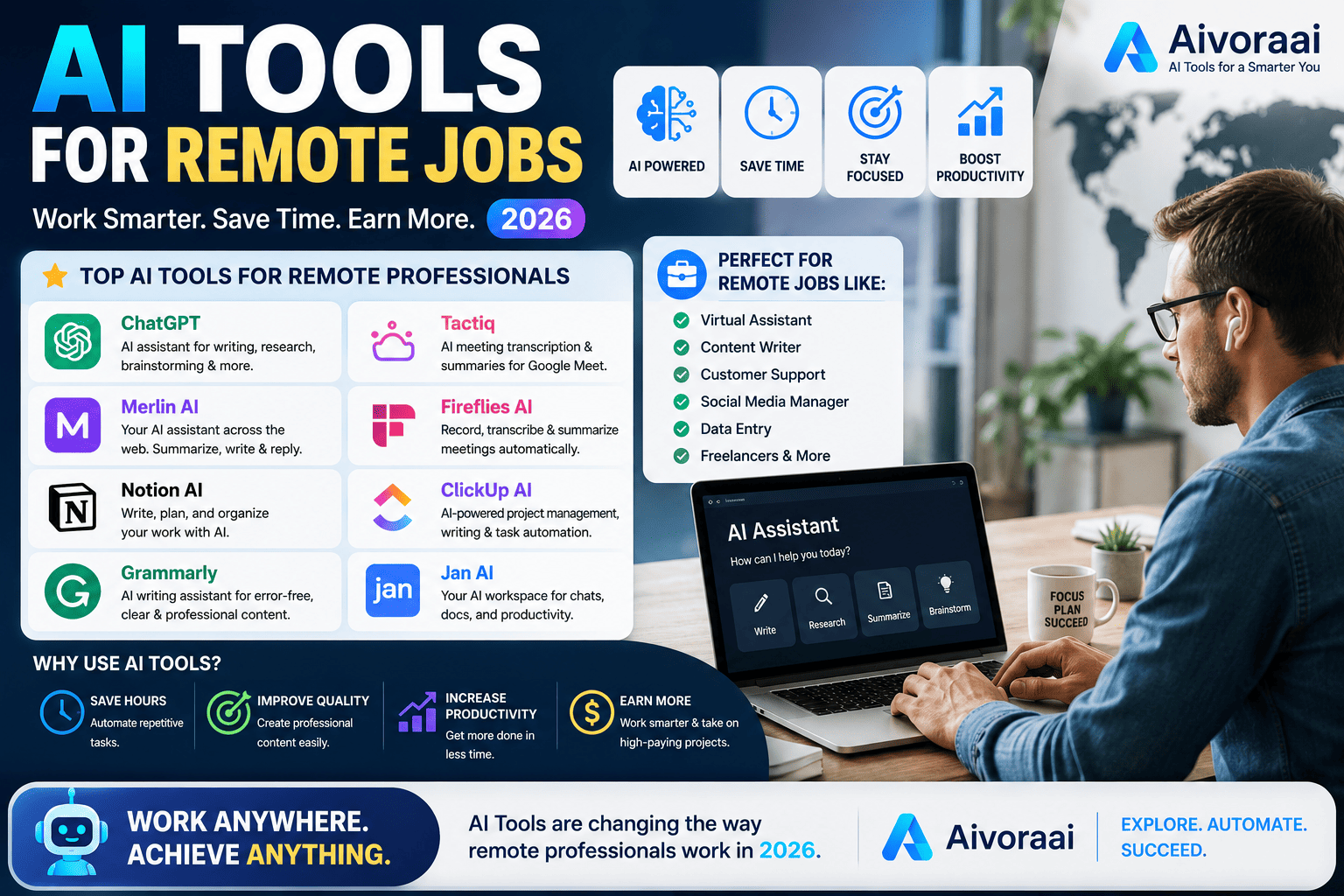
Quick Answer
The remote job market in 2026 is hyper-competitive, but AI gives you an unfair advantage. The best stack includes Teal for application tracking, Rezi for ATS-beating resumes, and Yoodli for interview mastery. By automating the tedious parts of your job search and optimizing your communication, you can triple your interview callback rate. View the complete AI remote job toolkit →
Remote work isn't just a trend anymore — it's the global standard. But here is the harsh reality: when a company posts a remote role, they don't just get applicants from their city; they get applicants from the entire planet. Standing out in a pool of 1,000+ candidates requires more than just a good resume and a polite cover letter. It requires strategy, speed, and smart tools.
Enter AI tools for remote jobs. These intelligent assistants are fundamentally changing how we hunt for work and how we perform once we get it. They can analyze job descriptions in seconds, tailor your resume to beat the Applicant Tracking Systems (ATS), conduct mock interviews with emotional feedback, and automate your daily productivity so you can focus on deep work.
Whether you're searching for your first fully remote role, switching careers, or looking to level up as a digital nomad, AI tools can accelerate your journey and give you a massive competitive edge. In this comprehensive, 3,000+ word guide, we break down the exact 15 tools top performers are using to land and excel in remote roles in 2026.
🚀 Why Use AI for Remote Jobs in 2026?
AI tools offer unique, almost superhuman advantages for remote job seekers and workers. The traditional job hunt is broken, and AI is the fix.
- Faster Applications: Auto-fill forms, tailor resumes instantly, and apply to 10x more jobs without burning out.
- Better Matching: AI analyzes job descriptions to find roles that fit your unique skills perfectly, hiding the noise.
- Interview Confidence: Practice with AI mock interviews that analyze your tone, pacing, and filler words, giving you instant feedback.
- Productivity Boost: Automate routine tasks, manage time better, and stay focused in a home environment full of distractions.
- Competitive Edge: Stand out with optimized resumes and personalized cover letters that speak directly to the hiring manager's pain points.
💡 Impact Data: Job seekers using AI tools report 3x more interview callbacks, a 50% faster application process, and 40% higher confidence in interviews compared to traditional methods. The ROI on a $20/month AI subscription is massive when it lands you a $100K remote job.
🏆 The 15 Best AI Tools for Remote Jobs
After testing dozens of platforms, here are the top 15 that deliver real, measurable results for remote job seekers and workers. We've categorized them by the phase of your career journey.
🔍 Phase 1: Job Search & Application Tools
Teal is the ultimate command center for your job search. It combines a robust application tracker with an AI resume builder and a Chrome extension that lets you save jobs from any board (LinkedIn, Indeed, company sites) directly into your dashboard. Its AI analysis tells you exactly which keywords are missing from your resume for a specific job description.
If you want to play the numbers game, LazyApply is the heavy artillery. It can auto-apply to thousands of jobs on LinkedIn and Indeed while you sleep. It uses AI to tailor your resume slightly for each application, ensuring you aren't just sending spam, but targeted applications at scale.
📄 Phase 2: Resume & Cover Letter Optimization
Rezi is specifically engineered to beat the ATS bots. It uses AI to analyze the exact formatting and keyword density that recruiters' software looks for. If you want to dive deeper into crafting the perfect CV, our comprehensive review of the best AI resume builders in 2026 will show you exactly how to get past the gatekeepers.
Generic cover letters go straight to the trash. CoverLetter.ai analyzes the company's website, the job description, and your resume to generate a highly personalized, compelling narrative. Writing the perfect cover letter requires the right prompts; check out our guide on the best AI prompt generators to craft stories that hiring managers love.
🎤 Phase 3: Interview Preparation & Mastery
Yoodli is like having a vocal coach and a behavioral psychologist in your pocket. You record yourself answering mock interview questions, and the AI analyzes your filler words ("um", "like"), eye contact, pacing, and even the emotional tone of your voice. It provides instant, actionable feedback to help you appear confident and articulate on Zoom calls.
If you are applying for remote software engineering or data science roles, Pramp is essential. It pairs you with a peer for a live, anonymous mock technical interview. You get to practice coding under pressure and receive structured feedback, which is crucial for passing the dreaded technical screening.
⚡ Phase 4: Remote Productivity & Execution
Once you land the job, Notion AI becomes your second brain. It summarizes long meeting transcripts, drafts project updates, and organizes your entire life into a searchable database. If you decide to ditch the job hunt entirely and build your own remote business, the AI tools for solo entrepreneurs will help you operate like a team of ten using similar workspace tools.
In a remote environment, your writing is your voice. Grammarly doesn't just check spelling; its AI analyzes the tone of your Slack messages and emails, ensuring you sound professional, empathetic, and clear, preventing the miscommunications that plague remote teams.
Otter.ai joins your Zoom and Teams meetings, transcribes everything in real-time, identifies different speakers, and extracts action items. You can stop frantically taking notes and actually focus on the conversation, knowing you have a perfect, searchable record later.
🌍 Niche Remote Roles & Personal Branding
Remote work isn't just for software engineers and marketers. The digital economy has opened up incredible opportunities across various sectors.
If you are an educator looking to teach online globally, our guide on AI tools for teachers will help you create world-class virtual classrooms and interactive curricula that students love.
For freelancers and consultants, building a personal brand is crucial for attracting high-ticket remote clients. Using the best AI SEO extensions in 2026 can help your portfolio, blog, or LinkedIn profile rank on Google, bringing inbound leads directly to you.
🔄 Building Your AI Remote Job Workflow
Having the tools is only half the battle; knowing how to string them together is where the real magic happens. Here is the exact workflow top performers use to land remote roles.
Phase 1: The Hunt (Weeks 1-2)
Use Teal to track applications and set daily goals. Optimize your resume with Rezi for each specific application. Generate personalized cover letters with CoverLetter.ai. If you are in a rush, use LazyApply to scale your outreach.
Phase 2: The Interview (Weeks 3-4)
Once you get a callback, switch to interview mode. Practice behavioral questions with Yoodli to perfect your tone and eliminate filler words. Do technical mocks on Pramp. Record and review your performance until you feel completely natural on camera.
Phase 3: The Execution (Month 2+)
You got the job! Now, optimize your remote workflow. Organize tasks in Notion AI, communicate professionally with Grammarly, and transcribe meetings with Otter.ai. Stay accountable and focused with virtual coworking tools.
✅ Is Your Remote Job Search AI-Ready?
Before you dive into these tools, make sure your foundation is solid. Use this interactive checklist to audit your current job search strategy:
🚀 The AI Remote Job Readiness Checklist
Frequently Asked Questions
Yes. Modern AI resume builders like Rezi and Teal are specifically trained on Applicant Tracking System (ATS) algorithms. They analyze job descriptions, inject the exact keywords recruiters look for, and format your CV so it parses perfectly, drastically increasing your interview callback rate.
Absolutely. Tools like Yoodli use advanced speech recognition and emotional AI to conduct mock interviews. They analyze your filler words, eye contact, pacing, and tone, providing instant, actionable feedback to help you appear confident and articulate on Zoom or Teams calls.
Most of the top AI tools for remote jobs offer generous free tiers. You can build a resume, track applications, and practice interviews without spending a dime. Premium plans usually range from $10 to $30 per month, which is a small investment compared to the salary of a remote job.
While tools like LazyApply can auto-apply to hundreds of jobs, it's best to use AI to tailor your resume and cover letter for each role, and then use automation tools like Simplify.jobs to autofill the application forms quickly. This ensures quality and personalization while saving time.
The ability to effectively prompt AI tools and integrate them into your workflow. Companies aren't just hiring for your hard skills; they are hiring for your ability to leverage AI to do the work of three people. Being an "AI-augmented" worker is the ultimate competitive advantage.
🏆 Final Verdict: Embrace the AI Advantage
The remote job market in 2026 is unforgiving to those who refuse to adapt. But for those who embrace AI, it is a goldmine of opportunity. AI tools level the playing field, allowing a dedicated individual in a small town to compete with—and beat—candidates from major tech hubs.
By automating the tedious parts of your job search, optimizing your communication, and practicing with emotional AI feedback, you can land your dream remote role in a fraction of the time it used to take. The tools are affordable, the learning curve is low, and the ROI is life-changing.
The question isn't whether you should use AI for your remote job search. The question is: how many more interviews could you be attending right now if you started today?
🚀 Supercharge Your Remote Career Today
Stop getting rejected by ATS bots and ghosted after interviews. Get instant access to the curated AI tools, prompt libraries, and workflow guides that top remote workers use to land and excel in their roles.
🚀 Explore the AI Remote Job Toolkit →🔒 Secure access • Instant setup • 60-day money-back guarantee
Continue Your Remote Career Journey
💬 Need Help With Your Remote Job Search?
Not sure which AI tools are best for your specific situation or industry? Drop us a message — we'll help you build the perfect toolkit!
Written by Varun Lalwani
Varun is the founder of Aivora AI and a career tech strategist. He specializes in testing AI platforms and helping professionals leverage technology to land remote roles, scale their freelancing, and build location-independent careers. Read more about Varun